Sector(s)
Team Members
Visit the site
Visit the siteOrganizations Involved
Community contributions
Issues participated in during the development of this project on drupal.org
Drupal core
Private Message module
Simple News Module
Chosen Module
Feeds Module
- https://www.drupal.org/project/feeds/issues/2933361
- https://www.drupal.org/project/feeds/issues/2968671
Token Module
Bootstrap Theme
About the Organization
Navitas, the dedicated life sciences company of TAKE Solutions, harnesses the combined knowledge and experience of three legacy companies—EcronAcunova, Navitas, and Intelenet—to provide end-to-end services and solutions. To ensure the best possible outcomes for their product of any life science companies, they need a reliable, experienced partner who understands how to make insight-driven decisions at every stage of the clinical development pipeline.
Aimed at pharmaceutical industry professionals, the networks were founded as an independent community for business leaders facing similar challenges to have a peer network to exchange insights, compare performance, and debate strategies to tackle the latest hot issues. Each network has a focused and evolving agenda to meet the latest challenges.
About the project
As a part of the initiative to achieve the objectives, Navitas Life science aimed to develop an enhanced & secure collaboration platform where all the stakeholders can be brought together to discuss challenges, exchange latest thinking and build best practice within their field.
The key Business Objectives
- Facilitate knowledge sharing through online activities
- Record, store knowledge captured during collaborative offline events conducted by Navitas. Make this Knowledge Repository searchable & available online
- Foster collaboration among Interested Communities/Networks/ Working Groups
- Facilitate Communication
- Increase participation through user-friendly & trendy UI/UX
- Enhance content publishing with simple & easy to use publishing interfaces
- Admin tools to manage contracts & subscriptions
Communication & Interactions with in the platform are within interested communities - Networks & Working Groups.
Networks are domain specific - these are areas of expertise with the Pharma organizations. Collaboration within networks could be around content, news & discussions. Users are associated to one or many Networks.
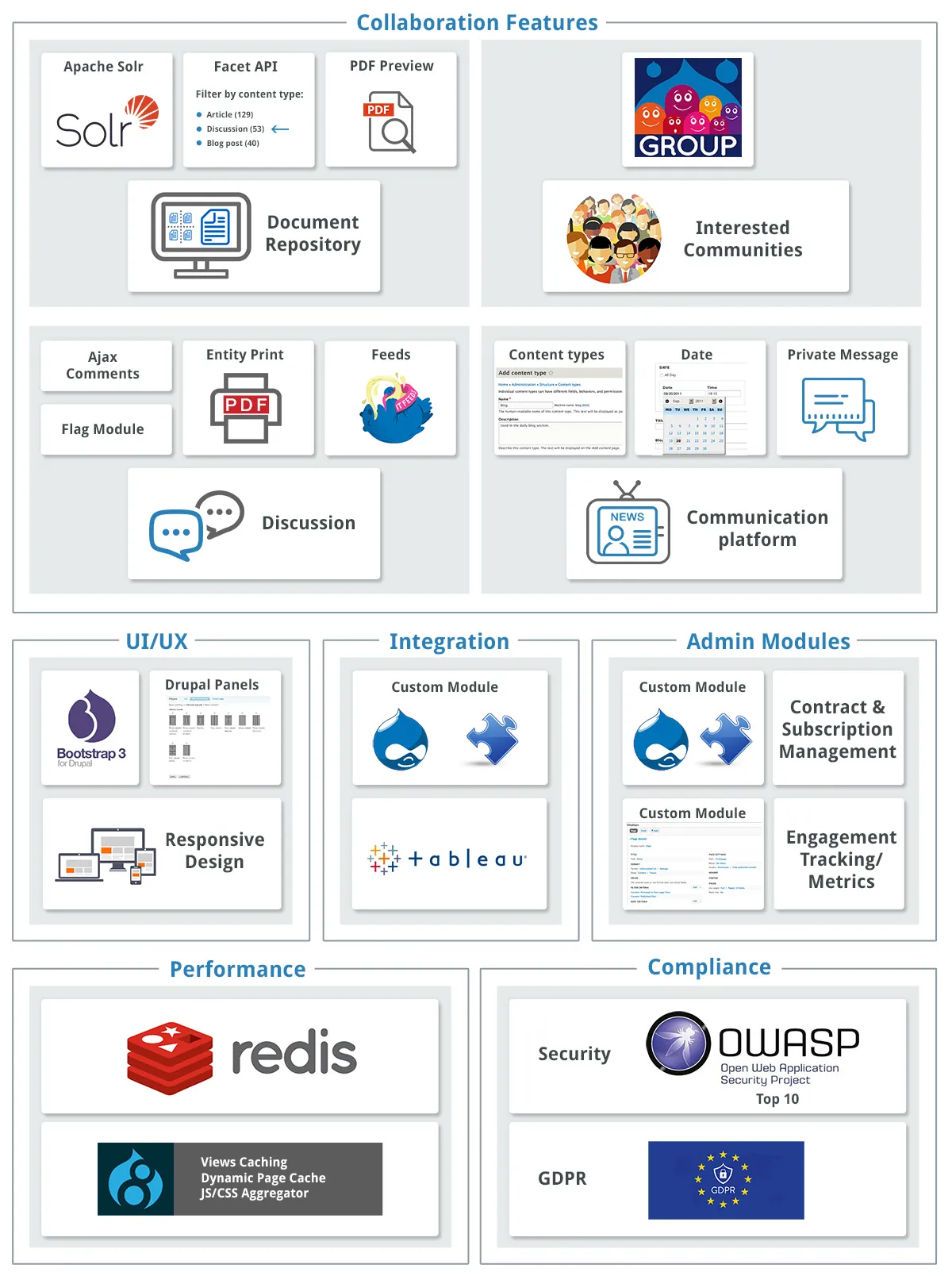
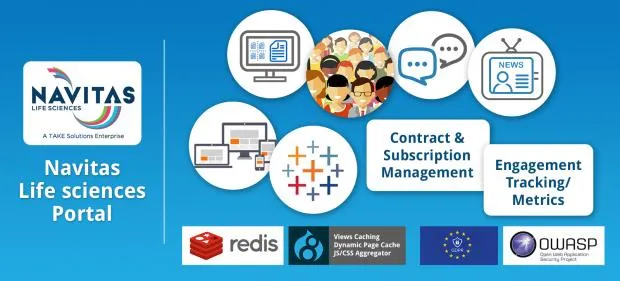
To meet the business goals, the key project features implemented included:
- Document Repository
- Interested Communities/Networks/ Working Groups
- Community Discussion Board
- Communication platform for News, Events & Private Messaging - Alerts & Notifications
- Usability/UI/UX
- Engagement Tracking/Metrics
- Contract/Subscription Management Module
- Integration with Analytics tools - Tableau*
- Security
- Performance
- Hosting & Management
Why Drupal was chosen
Drupal was chosen considering its Enterprise ready capabilities. Moreover the other key factor was editorial interface capabilities. Navitas chose Drupal not only because it was open source, but also because it brought with it state-of-the-art CMS capabilities, Content Engagement features, Performance & inbuilt Security Features.
Technical Specifications
Drupal version:
Key modules/theme/distribution used:
Document Repository
This feature helped record, store knowledge captured during collaborative offline events conducted by Navitas. It leveraged Drupal’s media, file management, content creation interfaces and provided for a fast search interface by integrating with Apache Solr. The key features include:
Creation & management
- Support for multiple Document formats
- Using taxonomies to interlink the content
- Auto-generation of PDF thumbnails
- Management of Image/Video assets
Interactive features
- Helpful (Likes)
- Download
- Faceted Search
Drupal Implementation/Key modules used
- Key Modules used: Apache Solr, Search API, Facets, PdfPreview
- Auto generation of PDF thumbnails: The first page of the PDF document uploaded was generated as a thumbnail image using PdfPreview module. The module was extended to generate different images for landscape and portrait mode. The preview images were stored in private file system.
- Learning from Apache Solr integration:
Apache Solr module was implemented to enable the document search functionality. - Implementation of faceted search
Customized the facet links to redirect to another facet source using template functions. This was done to redirect the facet block results to an alternate view page. Refer code snippet below:
Interested Communities/Networks/ Working Groups
Communication & Interactions in the platform are within interested communities - Networks & Working groups.
Networks are domain specific - these are areas of expertise within the Pharma organizations. Collaboration within networks could be around content, news & discussions. Users are subscribed to one or many Networks.
Working group are the specific groups of member from different Pharma companies coming together on focused topics. Documents are created and used to record offline/online activities & collaborations. The platform facilitates an offline document update process where each member of working group can download, edit and re-upload documents. System tracks updates on each document through revisions. The format of the document supported are doc, xls and ppt.
Apart from the document collaboration, platform also enables a wall interface where member of the working group can communicate. This communication can also be exported as a document.
Drupal Implementation/Key modules used
Key modules used include: Groups& Features like Group node & Role Synch
Why we chose Groups over Organic Groups as the base module
- Groups module has a stable release vs Organic group
- Group module is entity-based vs Organic group is node-based
- Group membership and Group role are also entity-based
- In short Group module’s architecture was better & also met the needs of our project needs. Reference - Difference b/w Groups & OG
Group wall feature
- Programmatically created a Group content, wall.
- The wall content was created when a group was created (on group post save event).
- A view block was used to list the comments of the associated wall content on the right side of the working group page. [to create groups views add group to the contextual filter]
- A wall was simulated by using ajaxified comment submission.
Manage subscription to groups
- Roles and permissions were required both at the group level and across groups. These were managed by using Group modules roles & permissions with User modules roles & permissions.
- Subscription to a network or working group was handled in the user creation and edit page. Field for associated groups was provided as a paragraph type and on submission the add member function was triggered to associate/remove the user to/from the group.
Community Discussion Board
This feature allows interaction of Members across organizations to collaborate and interact within their respective areas of interest. Nets admin to create and manage Topic Category and Topic based on focused areas of interest within their respective networks or across networks.
Drupal Implementation/Key modules used
- Key modules used include: Groups, Ajax Comment, Flag, Helpful, Entity Print, Feeds
- Enabling Ajax commenting- We have enabled ajax comment using ajax comment module. Additional introduced a field to manage posting comments anonymously. Anonymous posts will only show the organization of the author and not the author name. This feature was built as a custom module.
- Notification on posting of Comments, notification triggered on hook_comment _save. Based on the business subscription rules provided emails were queued - Queue API. The actual emails were triggered on cron run.
- Admin views were extended for managing taxonomies. The terms could be associated with Networks.
- Key modules used include: Private Message module, Date, ajax comment
- News and Events were built out as content types.
- Download as calendar for Events & Managing time zones for ical download were some unique implementations
- Enabling Ajax commenting
- Altered the autocomplete field on message create a custom form, so members can send message with their Networks/Groups.
- Private Messaging module customized for project needs. The UI was optimized for ajax loading and a Ajax block was brought in sticky on all pages to list user who were online. Associated fix in Private message module: Unread message count is showing wrongly.
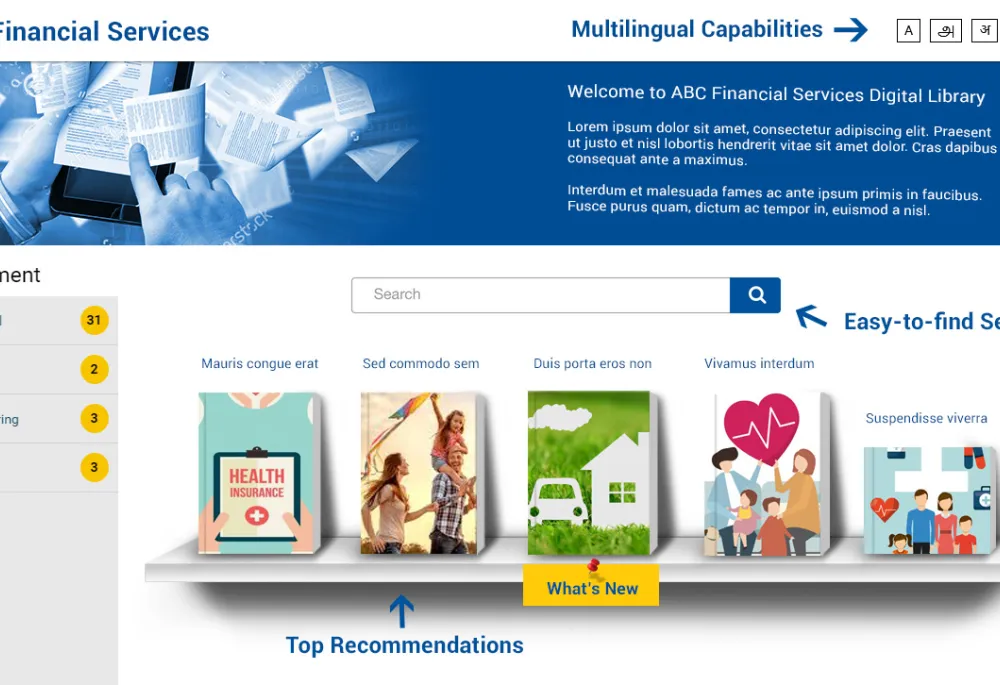
- Top Navigation links to Home/Dashboard, Profile page and Message Center
- Search explicitly presented at the top, as this is an important function
- 2 kinds of Dashboards - one with a provision to view all Network content & second to view a specific Network.
- When viewing all Network, a top prominent scroll is provided to select Network.
- When within a Network, Switch to Network option is provided for
- Dashboard provided teasers that help users preview the activity in each of the sections upfront, with links to key actions
- Logo branding is provided for Network sections
- Event, Insights & Downloads and Search have similar layouts with a provision to filter using facets
- Drupal 8 custom theme was developed keeping bootstrap as base theme.
- Panels were used to create different page layouts
- Custom jquery for comments show and hide option
- Logins
- Tracking participation on Community Discussions
- Comments & ”Helpful”s
- Downloads
- Checking-in of working group documents
- Submission of news articles
- Key modules used include: Helpful, Comments, Flag, Simple News, Login history
- Reports were generated using views.
- Download as CSV was implemented using Views Data Export module
- Admin can create contract for organisation with network and benchmark license limit.
- Contract & Subscription logic and specific Licensing rules have been programed.
- This section was custom built, We have used drupalcore’s content types and field api to build contracts.
- Subscription logic was written using hook_entity_presave
- Key modules used include: OAuth, Web Services, Views this section was custom built
- Process to synchronize user data and their permissions to manage licenses in tableau
- Roles & Access
- We have used Group module to restrict the content access
- We have restrict the user profile access based on the organisation and network with role.
- Introduced a consent form for terms & conditions, tracking was enabled for this form
- GDPR compliance reports were made available by integrating with views
- Site was optimized to serve content for logged in users.
- Most section of the site were built through integration with Apache solr
- JS/Aggregation was enabled
- Dynamic page caching was enabled
- Views cache enabled
- Varnish cache is enabled
Communication platform for News, Events & Private Messaging
This platform enables the members with the option of publishing News, Events and Private messaging.
News - Any member can contribute News which will be moderated through a simple workflow. Admin can accept the news and publish it or reject it. Notifications will be triggered to the member upon each action. News are network specific.
Event - Events is also network specific. Event could be created with provision for registration or with a link to a 3rd party site. Admin could export event registrations as csv files. They could also upload event participation to update the database to generate participation reports.
Private Messaging - Member can send messages to any other member of his network. Who's online block is visible on the dashboard and the member could initiate an asynchronous communication using the private messaging module.
Drupal Implementation/Key modules used
Usability/UI/UX
The UI/UX was built to present important information upfront, make the site intuitive & easy to use. The key elements of the design:
Drupal Implementation/Key modules used
Engagement Tracking/Metrics
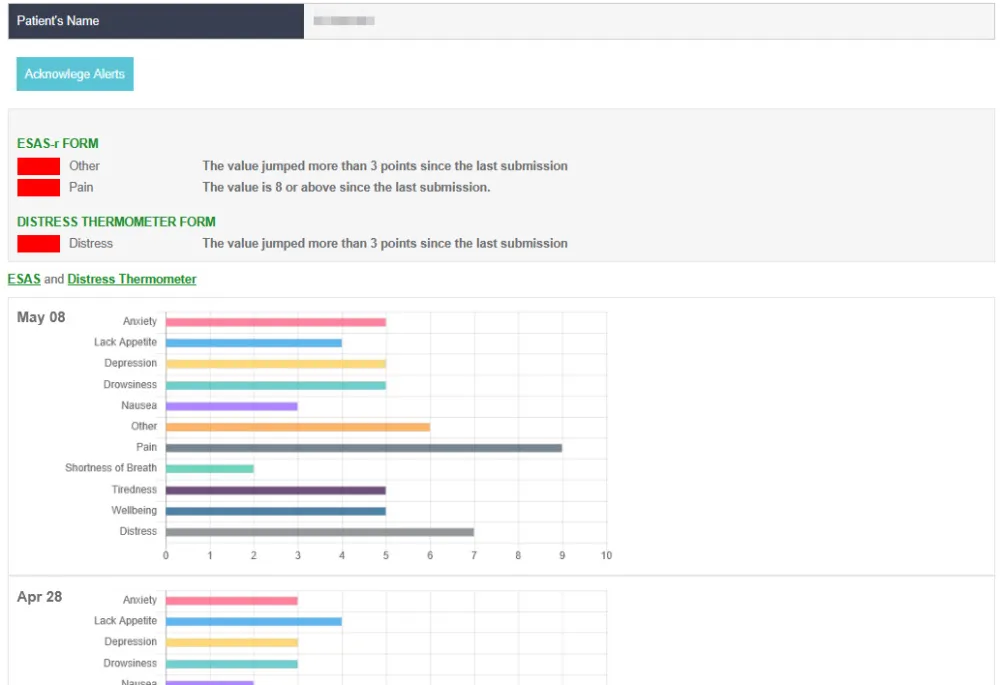
The Platform will track key activities of the members and facilitate reports at the Client/Organization level to evaluate participation.
The Activities that will be tracks are
Drupal Implementation/Key modules used
views_filter handler was used to create reports for login history
Contract/Subscription Management Module
Drupal Implementation/Key modules used
Integration with Analytics tools - Tableau
Members can view the benchmark dashboard from the tableau application if they have access to benchmark subscription with in their network within the organisation
Drupal Implementation/Key modules used
Created the custom rest resource to alter the views json output according the Tableau Service
Authentication- We have used the Oauth authentication to build this integration
Security
From a security standpoint the site was built to be OWASP top 10 compliant. Key aspects that were implemented include:
Basic GDPR support was provided
Performance