Sector(s)
Project Team
- Kunal Gautam: Sr. Drupal Developer
- Isha Goyal: Sr. QA/Scrum Master
- Kunal Soni/Puneet Gulati: Delivery Manager
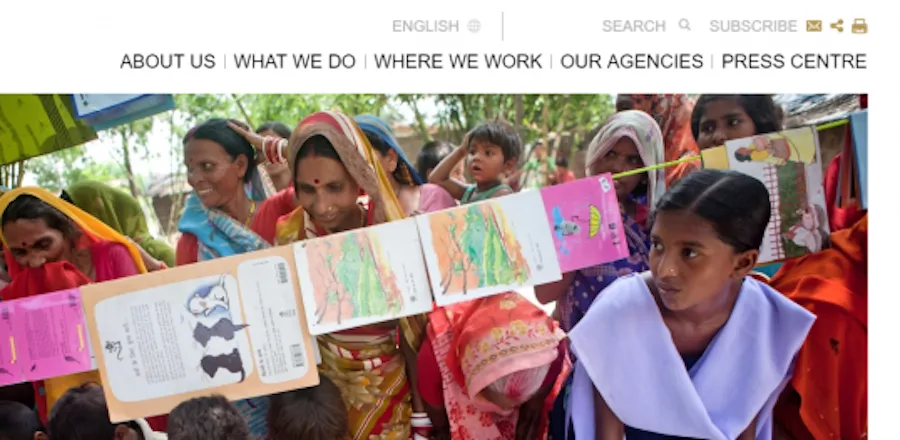
Our client is a network of private, non-denominational development agencies. It works primarily in the regions of Asia and Africa, focusing on improving the quality of life in these areas.
Key Highlights
- Our team worked on a continuous development model to revamp the site and shared at the beginning of the sprint what bugs will be taken up and got a sign-off
- The team worked on the prioritised tasks during the sprint and the bugs were tested through Quality Assurance Testing
- At the end of each sprint, the team gave a demo of the work completed
- The tasks were tracked in JIRA covering as much detail as possible
- The Scrum Master conducted regular retrospective meetings with the team members in the last week of every month to discuss the work done, the outcome of which was shared with the teammates and was recorded on JIRA
About the project
Client wanted us to be part of developmental and maintenance work of their portal which included site’s regular maintenance work, resolution of bugs, old feature enhancements, new feature addition to the existing site and any module upgrade.
Why Drupal was chosen
- Using Drupal from the beginning brings in a solid foundation for the future iterations to be easily built upon
- Drupal was so well suited for many of the project’s requirements because of its large community support, flexibility of integration with other systems and regular security updates
- Drupal proved to be a great fit as the site was heavily content-based and required the use of church approvals, workflow etc.
Technical Specifications
Key modules/theme/distribution used:
Why these modules/theme/distribution were chosen
- Multiform: This is an API module which lets you put several forms into one form. The usage is very simple: there is one API function to call: multiform_get_form() and you can pass the form names in the attribute list.
- Rules: The Rules module allows site administrators to define conditionally executed actions based on occurring events (known as reactive or ECA rules).
- Features: The features module enables the capture and management of features in Drupal. A feature is a collection of Drupal entities which taken together satisfy a certain use-case.
- Views: The views module allows administrators and site designers to create, manage, and display lists of content. Each list managed by the views module is known as a "view", and the output of a view is known as a "display". Displays are provided in either block or page form, and a single view may have multiple displays.
- Nodequeue: The Nodequeue module allows users to collect nodes in an arbitrarily ordered list.
- OAuth: This module implements the OAuth 1.0 standard for use with Drupal and acts as a support module for other modules that wish to use OAuth.
- Panels: The Panels module allows a site administrator to create customized layouts for multiple uses. At its core it is a drag and drop content manager that lets you visually design a layout and place content within that layout.
- Path Breadcrumbs: Path Breadcrumbs module helps you to create breadcrumbs for any page with any selection rules and load any entity from the URL.
- Search API: This module provides a framework for easily creating searches on any entity known to Drupal, using any kind of search engine.
- Feeds: Modules that extend Feeds. Feeds Tamper is a useful module that provides several ways to transform your data before it gets saved. Commerce Feeds allows you to import products into your DrupalCommerce installation. Feeds Entity Processor allows you to import content for almost any entity type.
- XML Site Map: The XML sitemap module creates a sitemap that helps search engines to more intelligently crawl a website and keep their results up to date. The module also comes with several submodules that can add sitemap links for content, menu items, taxonomy terms, and user profiles.
- Strongarm: Strongarm gives site builders a way to override the default variable values that Drupal core and contributed modules ship with. It is not an end user tool, but a developer and site builder tool which provides an API and a limited UI.
- Webform: Webform is the module for making forms and surveys in Drupal. After a submission customizable e-mails can be sent to administrators and/or submitters. Results can be exported into Excel or other spreadsheet applications. Webform also provides some basic statistical review and has an extensive API for expanding its features.
- AddThis: AddThis has become the standard button for bookmarking and sharing. The AddThis button spreads your content across the Web by making it easier for your visitors to bookmark and share it with other people. This simple yet powerful button is very easy to install and provides valuable analytics about the bookmarking and sharing activity of your users.
- Context: Context allows you to manage contextual conditions and reactions for different portions of your site. You can think of each context as representing a "section" of your site. For each context, you can choose the conditions that trigger this context to be active and choose different aspects of Drupal that should react to this active context.
- Date: This package contains both a flexible date/time field type Date field and a Date API that other modules can use.
- FacetAPI: The Facet API module allows site builders to easily create and manage faceted search interfaces. In addition to the UI components that come out of the box, themers and module developers can build their own widgets that can optionally be contributed back to Drupal.org.
- Libraries: The common denominator for all Drupal modules/profiles/themes that integrate with external libraries.
- Media: The Media module provides an extensible framework for managing files and multimedia assets, regardless of whether they are hosted on your own site or a 3rd party site - it is commonly referred to as a 'file browser to the internet'.
- MailChimp: This module provides integration with MailChimp (a popular email delivery service) and makes it easy for website users or visitors to control which of your email lists they want to be on (or off), lets you generate and send MailChimp email campaigns from your site, and lets you and your users view a history of emails they have been sent from MailChimp.
- Field Collection: A field collection is internally represented as an entity, which is embedded in the host entity. Thus, if desired field collections may be viewed and edited separately too.
- Entity Translation: Maintained by the Drupal core i18n team, it allows (fieldable) entities to be translated into different languages, by introducing entity/field translation for the new translatable fields capability in Drupal 7.
- Internationalization: This is a collection of modules to extend Drupal core multilingual capabilities and be able to build real life multilingual sites.
- Brightcove: With Brightcove Video Connect for Drupal you can efficiently add and manage video content on your Drupal-powered websites.
Theme Information:
Their Custom Theme is based on Omega, which was used as both Front and Admin themes
SCSS Information:
- Compass sass used sitewide for CSS Authoring
- Component wise structure of stylesheets using sass-globbing
- Custom 12 column grid system
- 'Times New Roman' and 'sans-serif'
Scripts used:
- JQuery
- JQuery Once
- JQuery Colorbox
- Ctools Popup JS
- Modernizr JS
- Slick JS(Flex slider)
- jquery formatter js
Analytics and Tracking:
- Google Analytics
Hosting:
- Acquia
WebServer:
- Apache
- Varnish
Business Benefits
- A quickly revamped site rolled out to users
- Regular demo with clients resulted in an accurate build
- Better customer experience
- Site up-to-date