Sector(s)
Team Members
Visit the site
Visit the siteOrganizations Involved
Community contributions
Taxonomy based Natural Language form block module.
his module provides users with a dependent drop down for 3 levels and the final level selection will throw up a link. Key concepts used in this module include: creation of admin configuration form[using configuration API], custom plugin - block generation, adding custom javascript. This is a module we developed for our customers and made it generic to contribute back to Drupal. Also ensured Drupal best practices were implemented before committing to Drupal.
The website served as the front-facing marketing portal. The three main objectives of the Portal redesign included :
- A modern and contemporary design
- Making content findable
- Ensure content updates could be performed by the marketing teams with minimum dependency on IT
The website has a large volume of information and making content findable was the most important aspect of the redesign. Key aspects implemented to improve the findability of content include:
- All new content architecture with proper content types, taxonomies and relationships/interlinkages
- Stakeholders based landing pages to meet their respective objectives
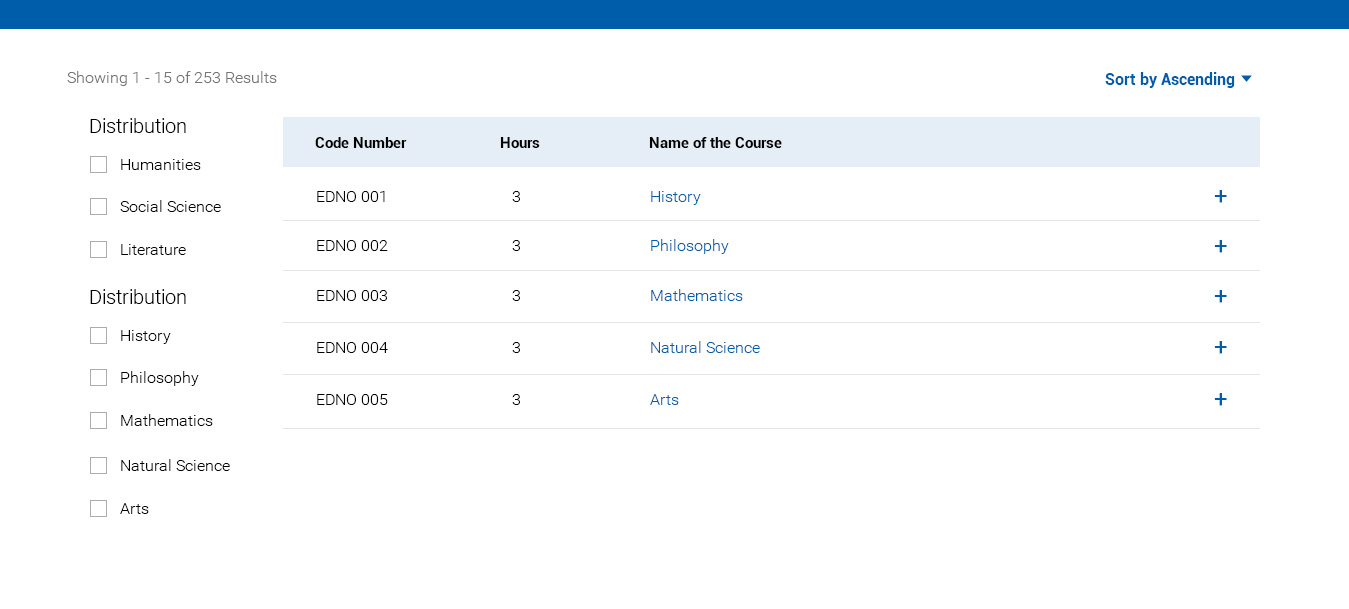
- Course Finder
- Staff & Faculty Directory
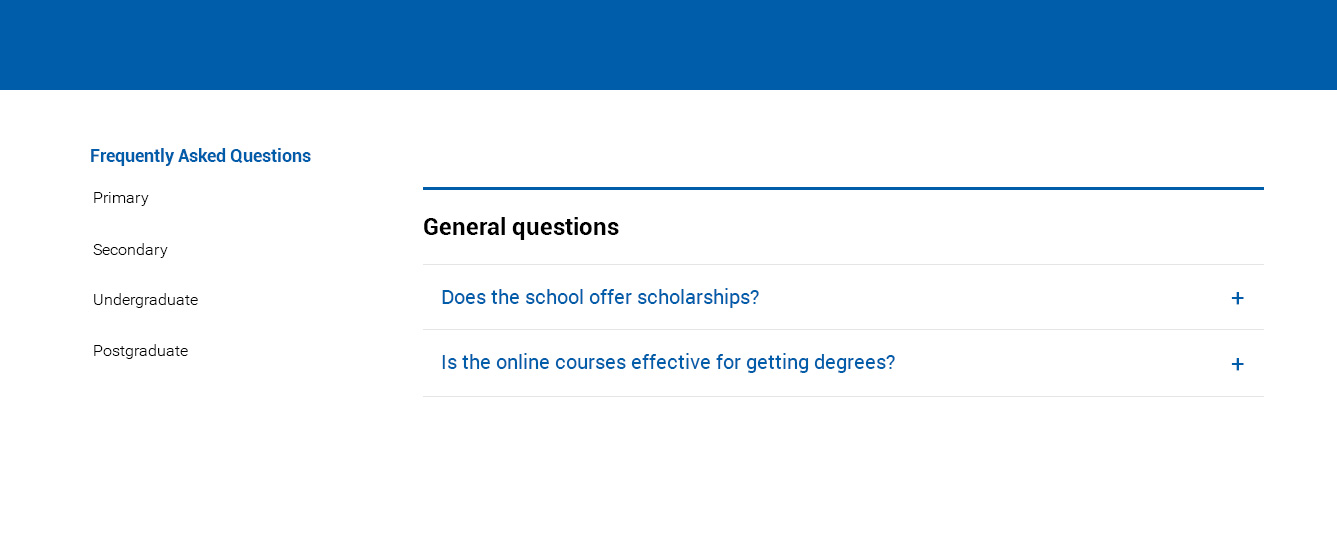
- Categorized FAQ page
- Powerful, fast search
Few Examples
Staff and Faculty Directory

Course Finder
FAQ
The key stakeholder that the website catered to includes: Prospective Students, Alumni, Admitted Students, Current Students, Donors, Employers. Each of these The Landing page presente contextual information and unique navigation paths.
About the project
Requirements:
Key Functionalities on the portal include:
- Stakeholder Specific landing page: The Home page presented different content content, contextual information & unique navigation paths based on the Stakeholder.
- Course Finder: A quick search page with faceted filters to help the user navigate and Find the course he/she is looking for.
- Staff & Faculty Directory: Search, advanced filter and alphabetical index to find Staff and Faculty
- Categorized FAQ page: An accordion that displays FAQs
- Powerful, fast search: Solr powered fast search with Advanced filters
- Search Engine Optimized: Friendly URLs, meta-data
- Social Integrations: Embedded twitter, facebook and instagram content
- Bing Map Integrations:
- Capabilities to create Pages with different layouts on the fly: best use of Drupal’s layout builder, WYSIWYG, image editing tools, media library.
- Contact Forms that capture information based on the reason the user is reaching out for. Also ensure emails & reports were configured to be viewed by respective stakeholders/departments.
Why Drupal was chosen
The key reasons for choosing Drupal include:
- Competitive Cost - Drupal is Open-source, Zero license fees
- Tools to support building content types, taxonomies and content relationships
- Easy-to-use Editor interface
- Enterprise-class security, regular security releases
- Preferred Open Source CMS for high-traffic, high volume content sites

Technical Specifications
Drupal version:
Key modules/theme/distribution used:
Admin content Notification
This is used for email notifications when any new content is created by any user.
ReCaptcha
ReCAPTCHA is used for security. Armed with state of the art technology, it always stays at the forefront of spam and abuse fighting trends.
CK Editor Read More
This is used to add a new button to CKEditor which allows users to hide selected content and only show it on "Read more" button click.
External link
It is used to differentiate between internal and external links.
Feeds Tamper
This provides a small plugin architecture for Feeds to modify data before it gets saved
Font Awesome
This is used asCKEditor plugin to allow users to select Font Awesome icons directly from the editor, as well as a Font Awesome Icon Field to attach directly to entities.
Juicerio
This service is used to integrate all of a brand's social media posts in one beautiful stream such as stay connected page.
Pathauto
This is used to automatically generate URL/path aliases for various kinds of content (nodes, taxonomy terms, users) without requiring the user to manually specify the path alias. This allows you to have URL aliases like /category/my-node-title instead of /node/123. The aliases are based upon a "pattern" system that uses tokens which the administrator can change.
Redis
This is used for integration of Drupal with the Redis key-value store. It provides cache, lock and path optional backends as well as a placeholder module for contribution modules Redis easier usage.
Search Api Glossary
It is used to add a Glossary AZ index to an Entity type or Bundle.
Simple Sitemap
This is used to generate a multilingual sitemap for entities, views and custom links. It also supports most of Drupal's content entity types including:
nodes
taxonomy terms
menu links
users
Social Feed
This provides the user to fetch the data from their respective Facebook, Twitter, and Instagram profiles and then display them accordingly as per their requirement using the Drupal block system.
SMTP
This is used to allow Drupal to bypass the PHP mail() function and send email directly to an SMTP server. This also supports SMTP authentication and can even connect to servers using SSL if supported by PHP.
Sticky Navigation
Sticky Navigation is used to select any element (preferably a navigation menu) and make it stay on top of the page on any theme while you scroll down further down the page.