Sector(s)
Team Members
Visit the site
Visit the siteOrganizations Involved
Community contributions
- Missing argument 3 for basic_cart_order_submit()
- Quantity does not show on Orders pages
- Show Quantity instead of repeating the entity in basic cart content entity reference field
- Improvements needed for multilingual content
- Tokens or token types not defined as arrays
- Installation error in drupal 8
- Offering to maintain Basic_cart
About the Organization
IIT IntApp is a Digital initiative from IIT Bombay.
IIT Bombay was the second of its kind, and the first to be setup with foreign assistance, under the auspices of UNESCO. IntApp or the Common Application Portal was designed to be a Single-Window Application Portal for Post-Graduates and PhD Candidates who are not Indian Citizens. Covering all IITs (Indian Institute of Technology) and IISc (Indian Institute of Science) pan-India, and have been declared by Parliament as Institutes of National Importance, the Portal intends to simplify and curate 700+ programmes available in over 20+ different Institutes.
In a bid to expand its Global Outreach, a specialized Digital Web Platform was envisaged and built.
The Business objectives of the digital platform to service it’s 2 main stakeholders - Foreign Applicants & Back office admin were:
- Make the content, that is the various Degrees, Institutes, Departments and Programmes, findable by the Applicants.
- Simplifying the application process for a Foreign Applicant.
- Providing a means for Applicants to pay for programme(s).
- An easy work-flow to filter applications by the Back office admin of their respective Institutions.
- Easy to use Content publishing interface for the Back office admin of the respective Institutions.
- Compliance to Accessibility and Security Norms.
About the project
Project Features
To meet the business goals, the key project features implemented included:
- Content Strategy & Architecture
- UI / UX Approach
- Payment Gateway
- Workflow Management
- Custom Reports
- SEO Facilitation
Content Strategy & Architecture
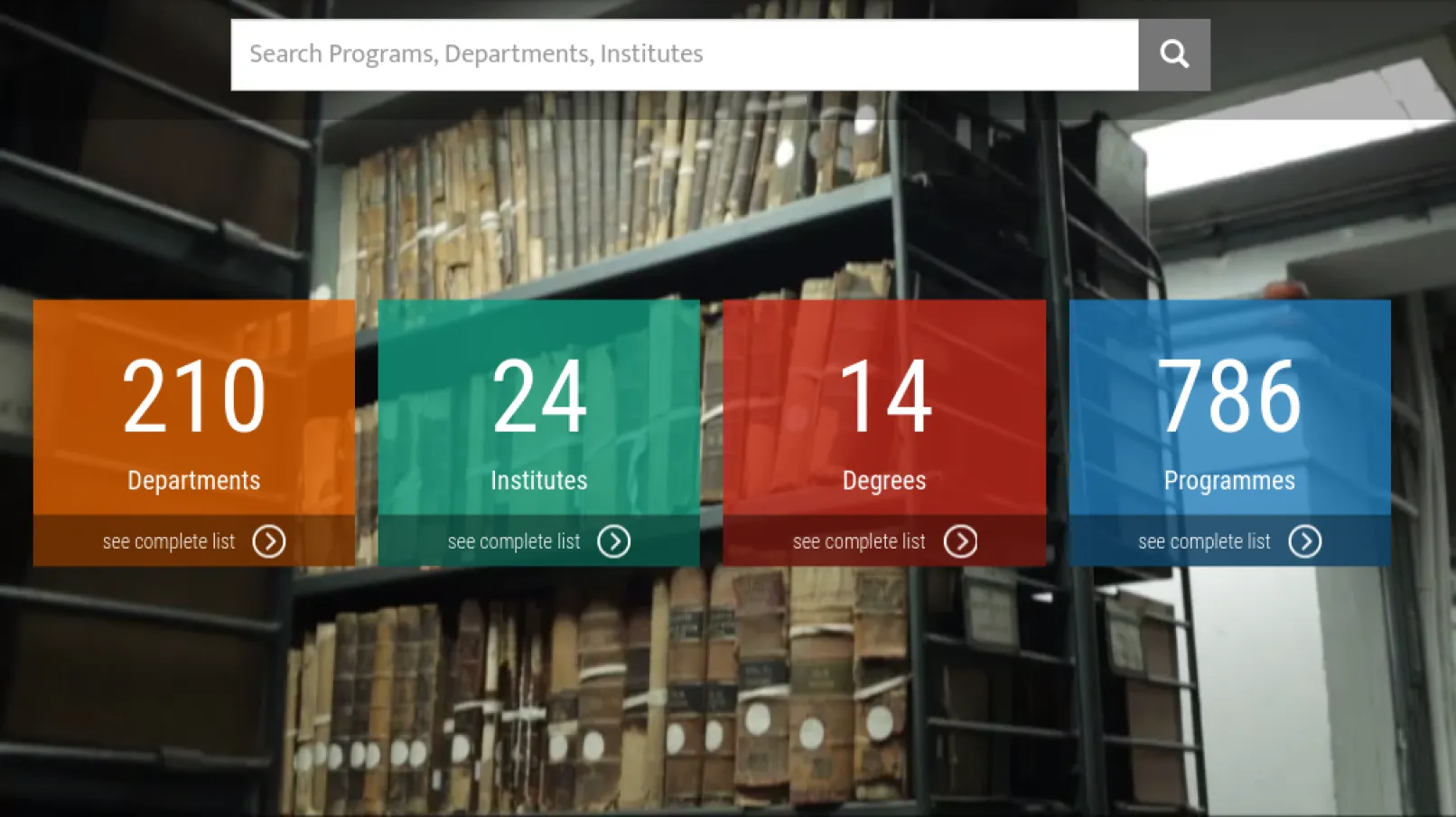
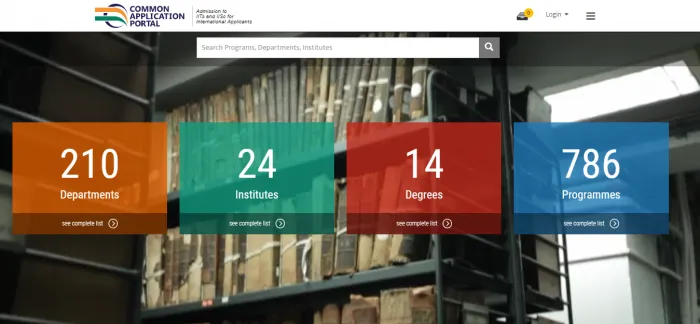
The Platform has 210 Departments, 24 Institutes, 14 Degrees and 786 Programmes. Some of the unique courses on offer are a Ph.D in Water Resources Development & Management and the Ph.D in Disaster Mitigation & Management among others.
Content Strategy increased the findability of content. Creating correct content relationships and metadata resulted in a powerful Search back-end.
Content Architecture

- The main Content type was the Programme.
- Each Programme is related to a Department and an Institute - which were created as Taxonomy terms.
- A Programme also contains the relevant metadata which included the duration of the programme and the degree.
Powerful Search
To facilitate the easy searching of Programmes by an Applicant:
- Unimity implemented facet filters that encompassed Institutes, Degrees and Departments.
- More than one filter can be used at a given time
- A Search bar is also provided to search for any Programme, Department or Institute.
User-Friendly UI/UX
- Appropriate access to certain portions of the portal is given to either Applicants or Back Office Admins or both, where needed, ensuring that only relevant content and actions were made available. Each Back Office Admin can only see Applications relevant to his/her Institute.
- ‘Easy Navigation’ Upfront the User is presented statistics to enable easy navigation to his area of interest and a powerful search.
- Users can see the various Programmes and add them to the ‘cart’ without logging in. Only once ready to initiate payment, will the user need to login.
- A Mobile-First approach was taken while designing the UI, and has resulted in the portal being Responsive.
- A ‘Shopping Cart’ experience was provided to ensure that Applicants could apply for one or more programmes and pay at one go.
- ‘On Screen Messaging’ appropriate on screen messaging were presented to the user to prompt the next set of actions..
Payment Gateway
Payment Integration was done with the Payment Gateway - PayPal, to facilitate the applying of Programme(s) by Applicants. A ‘Shopping Cart’ style integration was implemented with the Payment Gateway to ensure the payment of multiple Programmes if the need arose.
Workflow Management
- Any user to the site can view programmes and can choose programme(s) to be added to the ‘cart’.
- Applicants can pay for Programme(s) in the form of a single Application, for which the status of their application will be marked ‘Apply’.
- The Back Office Admin can change the status of an Application from ‘Apply’ to ‘Need more Info’, ‘Downloaded for Department processing’, ‘Application Rejected’ or ‘Offer Given’. The Status of ‘Downloaded for Department processing’ can be changed to ‘Application Rejected’, ‘Offer Given’ or ‘Need more Info’ by the Back Office Admin.
- Applications in turn can change the status of an Application from ‘Need more Info’ to ‘Details Appended’ and from ‘Offer Given’ to ‘Offer Accepted’ or ‘Offer Rejected’.
- Provision for bulk upload to change status was provided to the Back Office Admin.
Custom Reports
Two reports were made available to help Back Office Admins manage Applications.
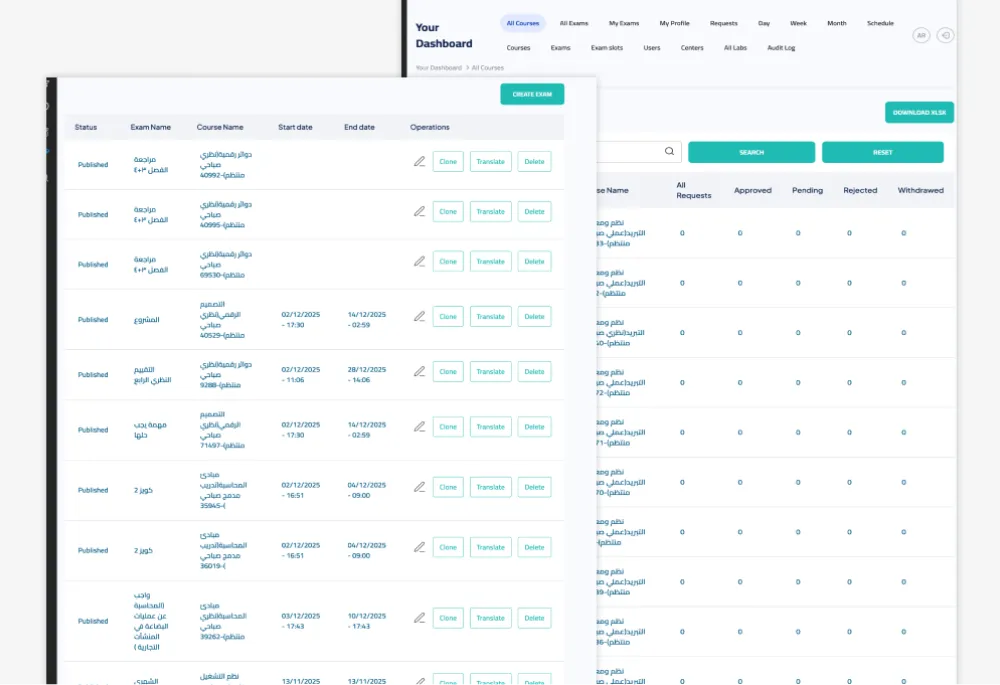
- Back Office Admins can export the Applications that are relevant to their Institute. These Applications will have all related meta-data, including the state of the Application.
- Back Office Admins can change the ‘state’ of application(s) and import the same into the Portal.
Drupal Editorial Interface
- Drupal’s inbuilt Editorial Interface serves the Portal well, with Forms, Pages and Content easily built, edited and otherwise managed.
- Interface to upload images and documents provided for the use by Applicants
- WYSIWYG allows Back Office Admins to be able to add formatted content.
Compliance
- IIT IntApp aligns with OWASP Security Guidelines and has taken Accessibility measures - making the Platform a safe and easily accessible one.
- Social Sign-ins (Facebook and Google) have been implemented to minimize the risk of Spam Accounts.
Why Drupal was chosen
The client chose Drupal because of its easy-to-use content creation interfaces. With a view to achieve their Business goals, the team was looking for a central content repository that could ease the application process for Foreign Applications to the various IITs and IISc. Drupal 8 with its secure work-flows and ready-to-use modules integrating Payment Portals was the right choice.
From a compliance perspective, Drupal’s stringent Security review team and clear road-map of release cycles helped swing the decision in its favour. The fact that Unimity has a varied and lengthy experience with Enterprise Solutions contributed to this as well.
Technical Specifications
Drupal version:
Key modules/theme/distribution used:
Key Modules
Blazy
This Module helps with optimization of the Website by employing the Lazy Loading of images and multi-serves the images.
Basic Cart
Basic Cart is a Module that facilitates the online payment process by means of a ‘shopping cart’. Unimity has been credited to fixing the following issues in Basic Cart:
Entity Print
Entity Print is a Module that converts a Drupal Entity into a pdf. This has been used for the export of an Application into a pdf.
Simple FB Connect
This module was used to authenticate the Facebook sign-in of an Applicant to the Portal.
PHPExcel
This module helps the Back End Admin users to export/import Excel files in the format of .css
Meta Tag
The Metatag module helped in creating Meta Tags and Meta Descriptions for content on the Portal. This aids in Search Engine Optimization (SEO).
Social API
The Social API Module was enabled to facilitate the Social Login process via Google.