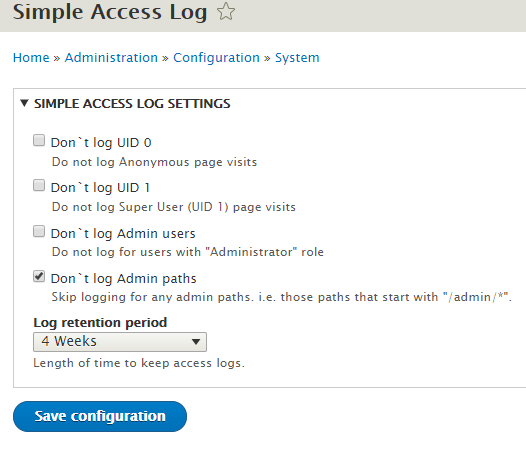
Simple Access Log replicates the basic features/functions of the Core Access Log functions that were included as part of the Drupal 7 statistics module, that were not ported to Drupal 8.
Known Issues
Due to the way Drupal 8/9/10 Handles caching for anonymous users this module currently struggles with logging their visits.
Installation and use
The Simple Access Log module can be installed like other Drupal modules by placing this directory in the Drupal file system (modules directory) and enabling on the Drupal Modules page (/admin/modules).
Configuration
Simple Access Log can be configured on your Drupal site at Administration - Configuration (/admin/config/system/simple_access_log).
Options
- Don`t log UID 0 - Do not log Anonymous page visits
- Don`t log UID 1 - Do not log Super User (UID 1) page visits
- Exclude or include specified paths, with wildcard support.
- Don`t log Admin users -Do not log for users with "Administrator" role
- Don`t log Admin paths - Skip logging for any admin paths.
- Any paths that start with "/admin/*".
- Enabled by default.
- Log retention period - Length of time to keep access logs.
- 4 Months (16 Weeks)
- 4 Weeks (default value)
- 2 Weeks
- 1 Week
- 3 Days
- 1 Day
Cron Data Cleanup
On each cron run any data older than the Log retention period setting (4 weeks by default) will be permanently deleted from the database.
Performance
This module runs early in the Drupal execution process, before most other modules and page content is generated. It adds an extra database insert to every page request that is received. While this should be a negligible increase in load times it will have an impact. Using the configuration options to disable logging for certain users may be able to accelerate pages if performance issues arise.