This module provides an alternative field formatter for rendering YouTube video fields using JavaScript libraries instead of the default OEmbed iframe.
This new field formatter implements on-demand loading of YouTube videos. This means that videos do not automatically load when accessing a page but start loading when the user clicks play, thus reducing initial page load times.
Getting Started:
- Install Lite Youtube as you would any other Drupal module, and activate it.
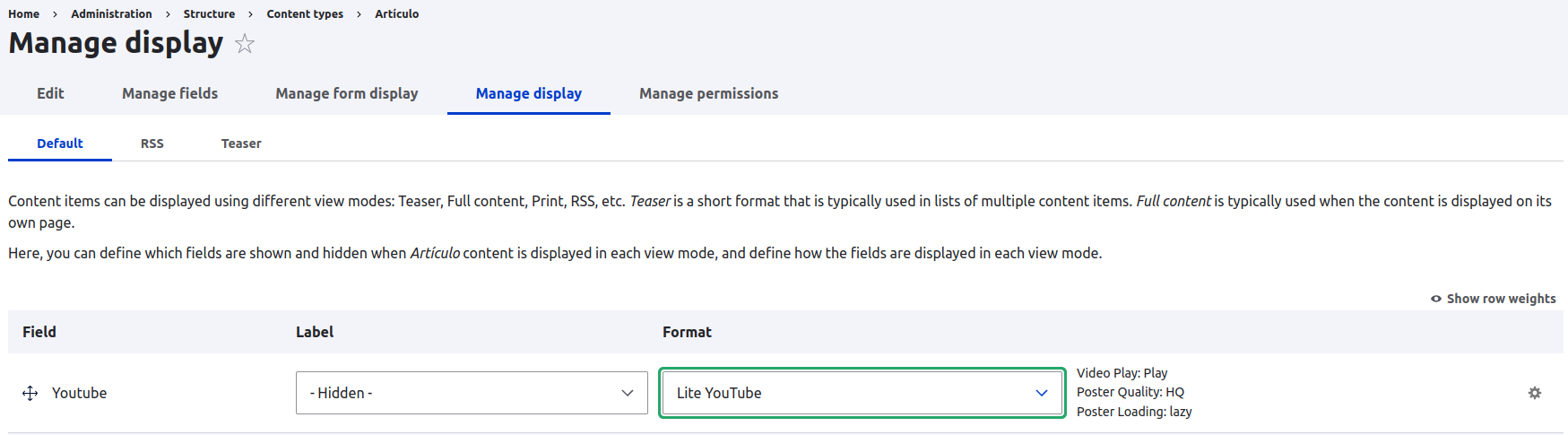
- Go to the Content Types management page (/admin/structure/types) and select "Manage display" in the Operations list of the Content Type that contains a YouTube video field.
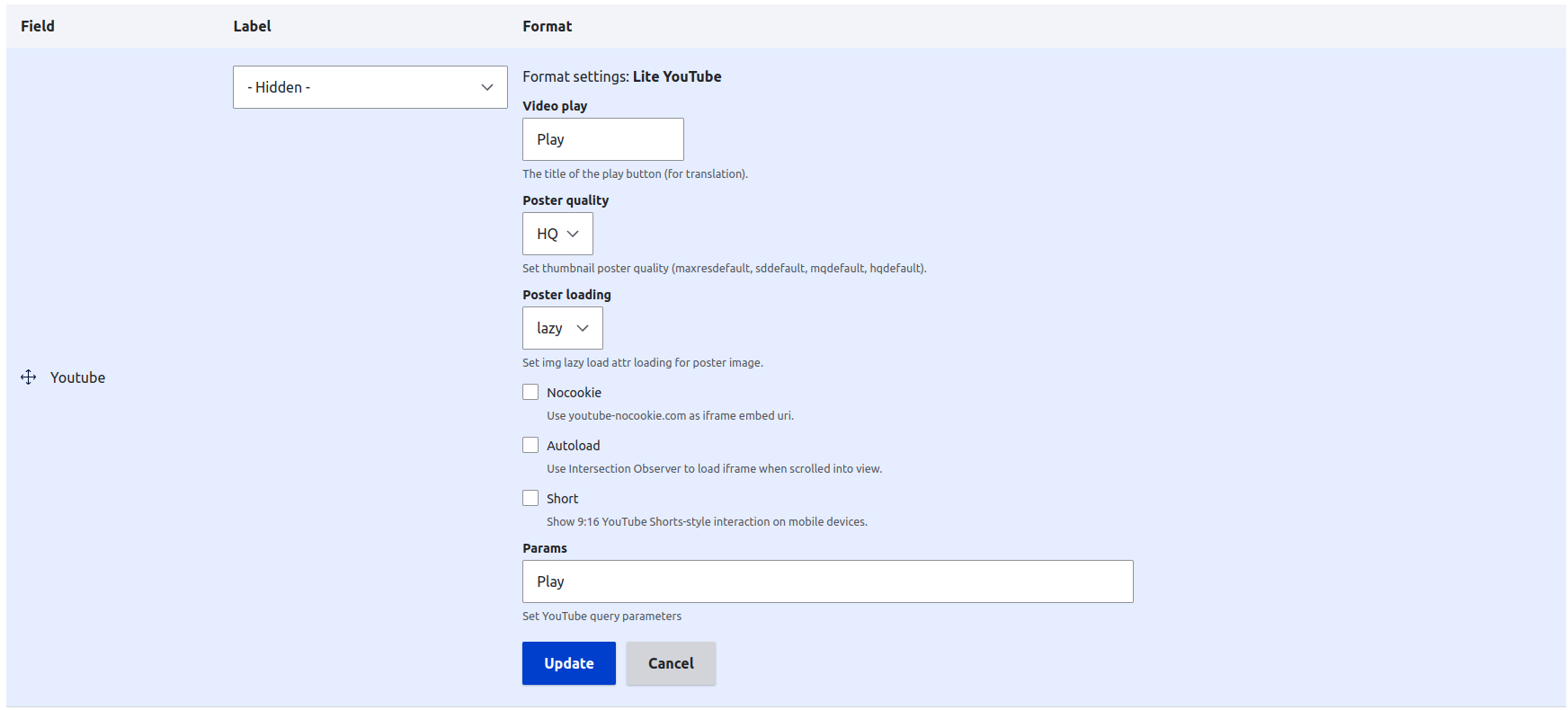
- In the "Format" section of the YouTube video field select "Lite Youtube". Note that in the third-party settings of the formatter, you can configure various aspects such as the title of the play button, poster quality, poster loading, among others.
- Save the changes.
Javascript libraries:
Similar modules:
Short name
lite_youtube
Supporting organizations