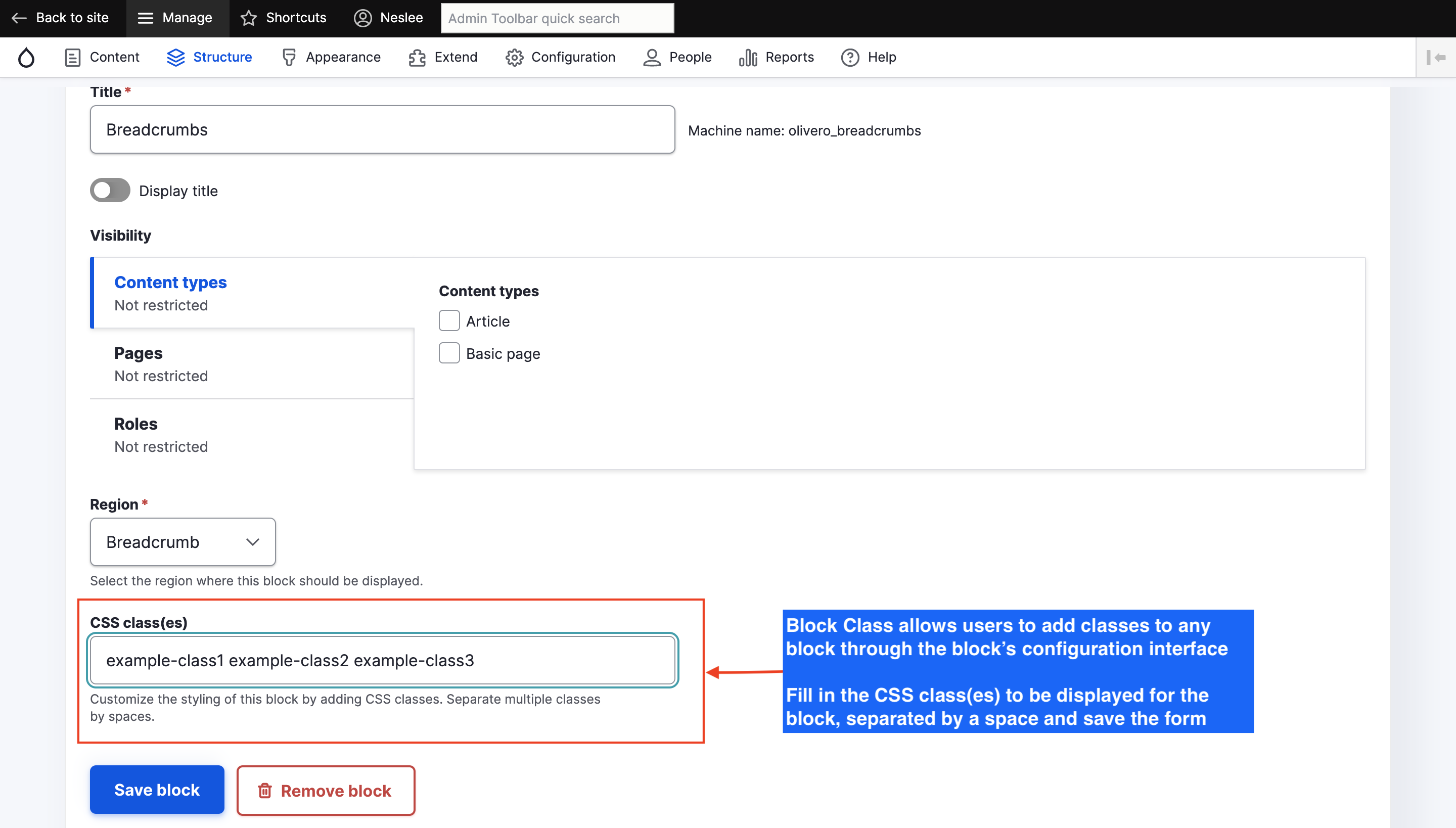
Block Class allows users to add classes to any block through the block's configuration interface. By adding a very short snippet of PHP to a theme's block.tpl.php file, classes can be added to the parent
Installing the Drupal 8.x / 2.x version
As installing all other modules: composer require drupal/block_class
Documentation 2.x: https://www.drupal.org/docs/contributed-modules/block-class
Live demo 2.x: https://www.youtube.com/watch?v=EXevDcH4rqY
Matrix of compatibility
| Version | Came from | Upgrade path |
| 4.0.x | 2.0.x | 2.0.x update to 4.0.x |
| 3.0.x | 8.x-1.x | 8.x-1.x update to 3.0.x |
Upgrade Guidance
- If you are on 2.0.x: Upgrade to 4.0.x
- If you are on 8.x-1.x: Upgrade to 3.0.x
- If you are on 3.0.x, you can upgrade to 4.0.x if you wish
Warning
- Do not upgrade from 2.0.x to 3.0.x;
- 3.0.x is based on 8.x-1.x, so updating from 2.0.x cause downgrade;
- For more info see: [#3468976]
Installing the Drupal 7.x version
- Enable the module
- Add the PHP snippet to your theme (see below)
- To add a class to a block, simply visit that block's configuration page at Administration > Structure > Blocks
How to add the PHP snippet (7.x-2.x, 7.x-1.x)
Here's the first line of the Garland theme's block.tpl.php prior to adding the code:
And here's what the code should look like after adding the snippet:
For 7.x-2.x:
For 7.x-1.x or lower:
IMPORTANT: Remember to separate the PHP snippet from the existing markup with a single space. If you don't add the space, your CSS classes could run together like this: block-modulecustomclass instead of block-module customclass.
Similar modules
- Block Classes: Extends the Block Class module to allows users to add classes to block title, content, and wrapper of any block through the block's configuration interface.
- Block Attributes: For users looking for more theming flexibility, capabilities or with more advanced requirements, the Block Attributes module allows to specify additional HTML attributes for blocks, through the block's configuration interface, such as HTML id, style, title, align, class and more.
- Block Class Styles: Extends the Block Class module to incorporate styles (or themes) rather than css classes. Adds style-based tpl suggestions. Allows HTML in your block titles.
- Layout Builder Component Attributes: Layout Builder Component Attributes allows editors to add HTML attributes to Layout Builder components.
Credits
Block Class Logo by Nico Grienauer (Grienauer)