Sector(s)
Team Members
Project Team
- Stephen Beemsterboer (balbuf) — Web Engineer
- Jordan Caldwell (jordan.caldwell) — UX Engineer
- Ellen Diamond — Account Manager
- J. Hogue (artinruins) — Director of Design & UX
- Jack Hartman — Project Manager
- Renata Miles — UI Designer
- Brandon Olivares (devbanana) — Web Engineer
- Matt Salvadore (providence_matt) — UX Engineer
Visit the site
Visit the siteOrganizations Involved
Community contributions
A few patch reviews:
https://www.drupal.org/project/ajax_comments/issues/3074600 - Credited
https://www.drupal.org/project/shield/issues/2822720
https://www.drupal.org/project/field_group/issues/3044595 - Credited
https://www.drupal.org/project/simplesamlphp_auth/issues/2894327
Patch created for calendar that is pending deployment:
https://www.drupal.org/project/fullcalendar_view/issues/3046175
The American Veterinary Medical Association (AVMA) advocates on behalf of 91,000+ members — mostly doctors but some veterinary support staff as well. With roots as far back as 1863, their mission is to advance the science and practice of veterinary medicine and improve animal and human health. They are the most widely recognized member organization in the field.
About the project
Make the Brand Shine
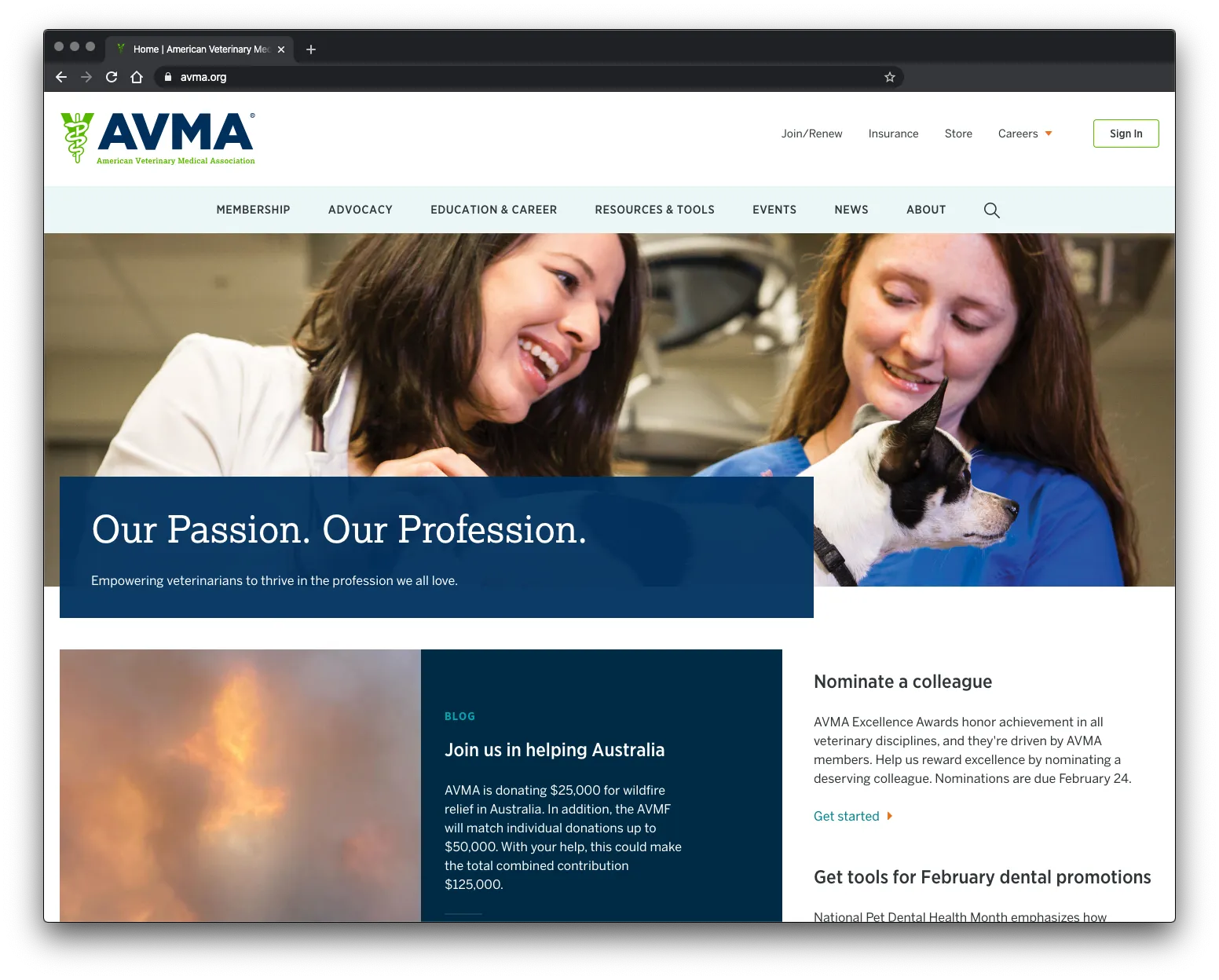
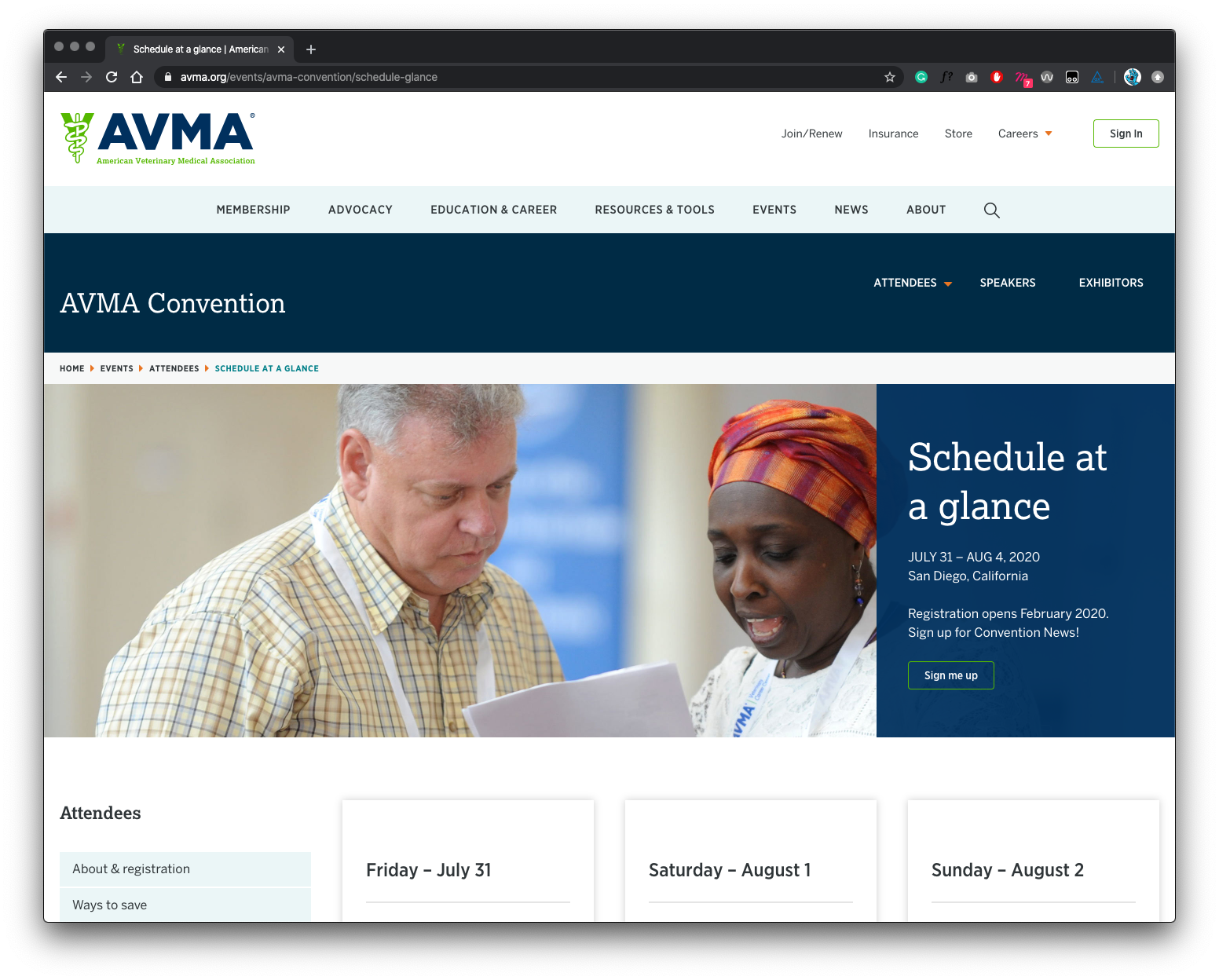
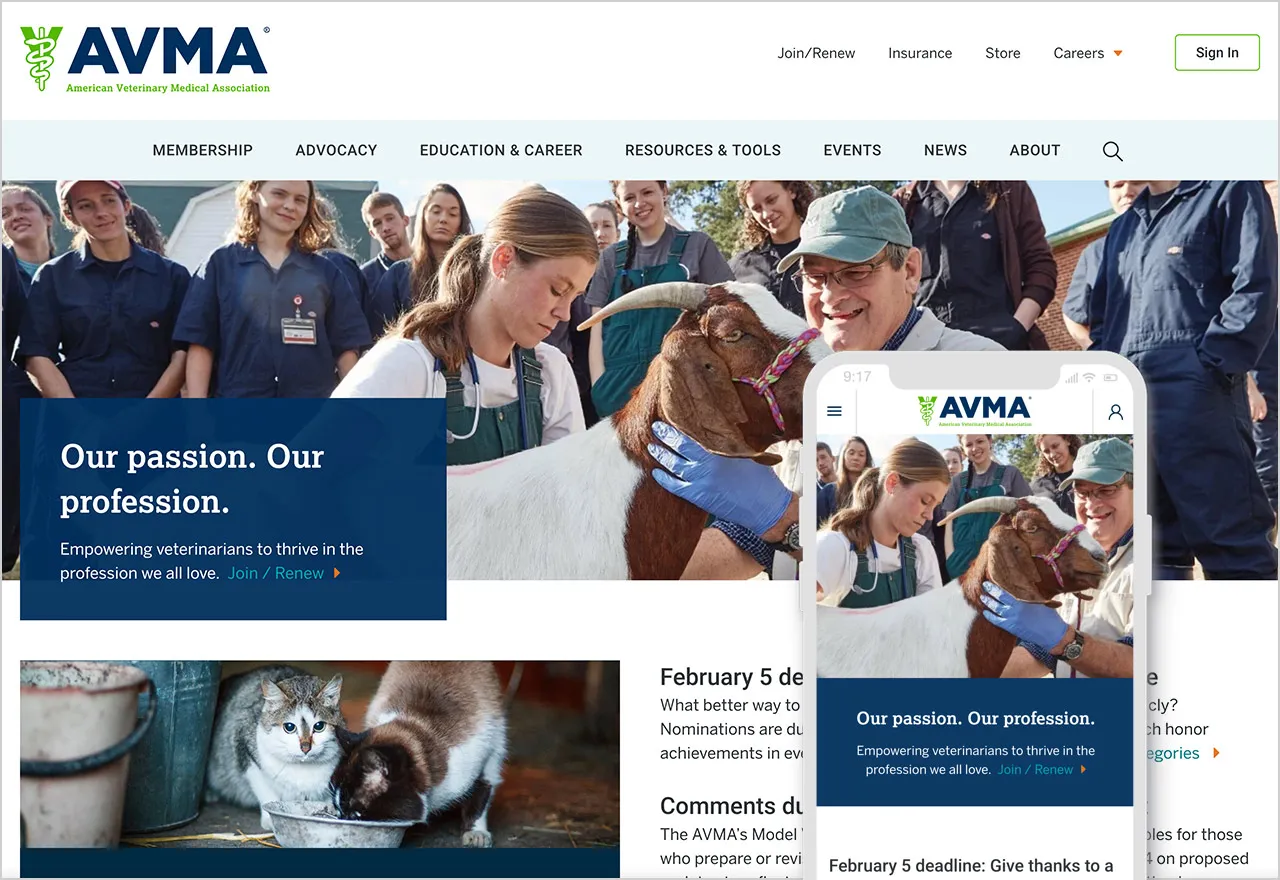
The AVMA website is the main communications vehicle for the organization. But the framework was very out of date — the site was not mobile-friendly and some pages were downright broken. The brand was strong, but the delivery on screen was weak and the tools reflected poorly.
Our goals were to:
- Improve the site map. Content bloat over the years created a site tree that was in bad need of pruning
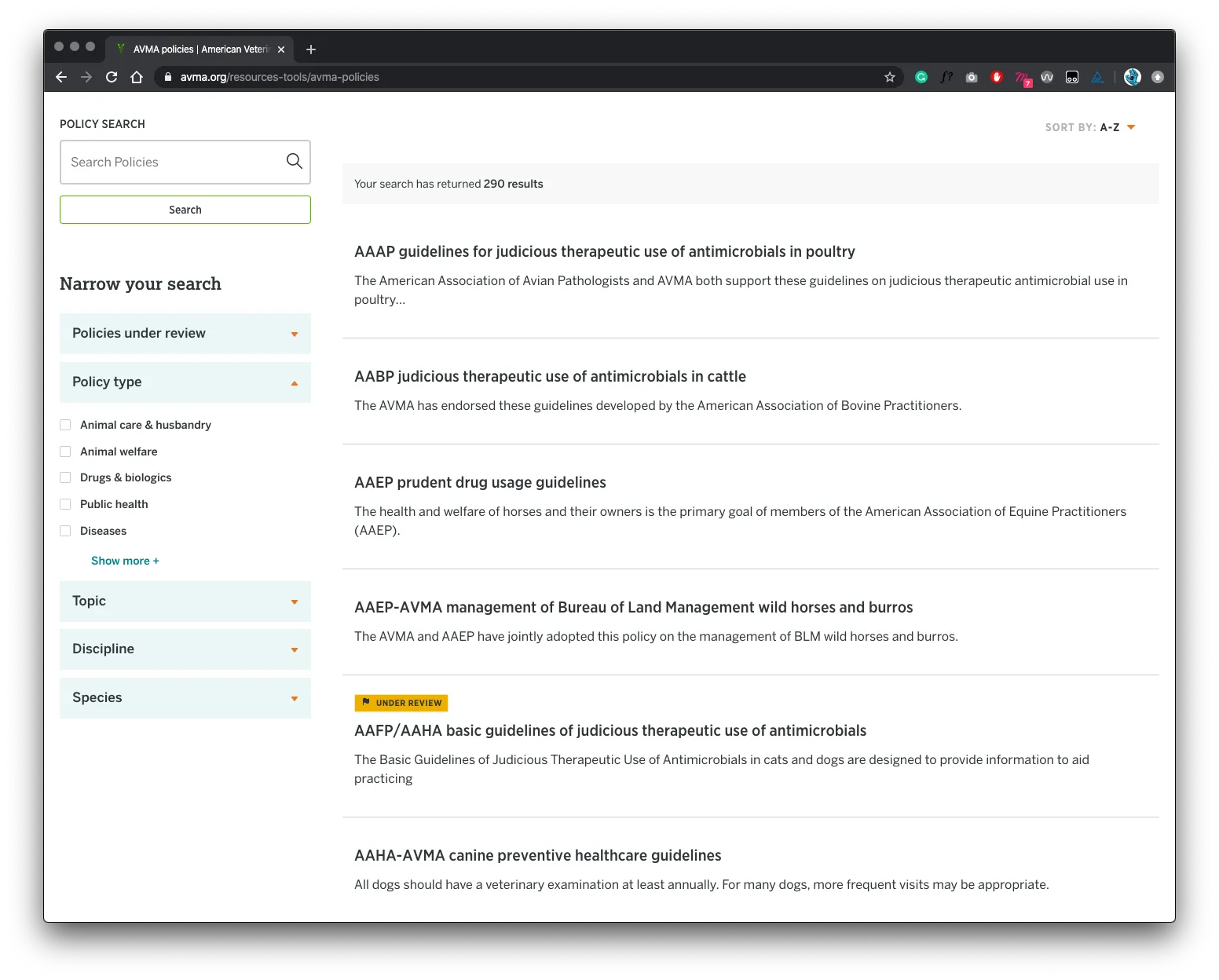
- Improve search. When a site has so much content to offer, search can be the quickest way to find relevant information for a motivated user. Our goals were to make search more powerful while maintaining clarity of use
- Communicate the value of membership. Resources and benefits that come with membership were not clearly illustrated and while members were renewing regularly, they were not interacting with the site as a resource as often as they could
- Strengthen the brand. If the site was easier to navigate and search, if it had a clear value proposition for existing and prospective members, and if the visual design were modern and device-friendly, the brand would be stronger
Put Members First
Oomph embarked on an extensive research and discovery phase which included:
- A competitor Analysis of 5 groups in direct competition and 5 similar membership-driven organizations
- An online survey for the existing audience
- A content and SEO audits
- Several in-person workshops with stakeholder groups, including attendance at their annual convention to conduct on-the-spot surveys
- More phone interviews with volunteers, members, and additional stakeholders
With a deep bed of research and personal anecdotes, we began to architect the new site. Communication was high as well, with numerous marketing, communications, and IT team check-ins along the way:
- An extensive card sort exercise for information architecture improvements — 200+ cards sorted by 6 groups from throughout the organization
- A new information architecture and audience testing
- A content modeling and content wireframe exercises
- A brand color accessibility audit
- Over a dozen wireframes
- Three style tiles (mood boards) with revisions and refinements
- Wireframe user testing
- A set of deep-dive technical audits
- Several full design mockups with flexible component architecture
Several rounds of style tiles explored a new set of typefaces to support a modern refresh of the brand. Our ideas included darkening colored typography to meet WCAG thresholds, adding more colored tints for design variability, and designing a set of components that could be used to create marketing pages using Drupal’s Layout Builder system.
An Effective Design proven by Promising Data
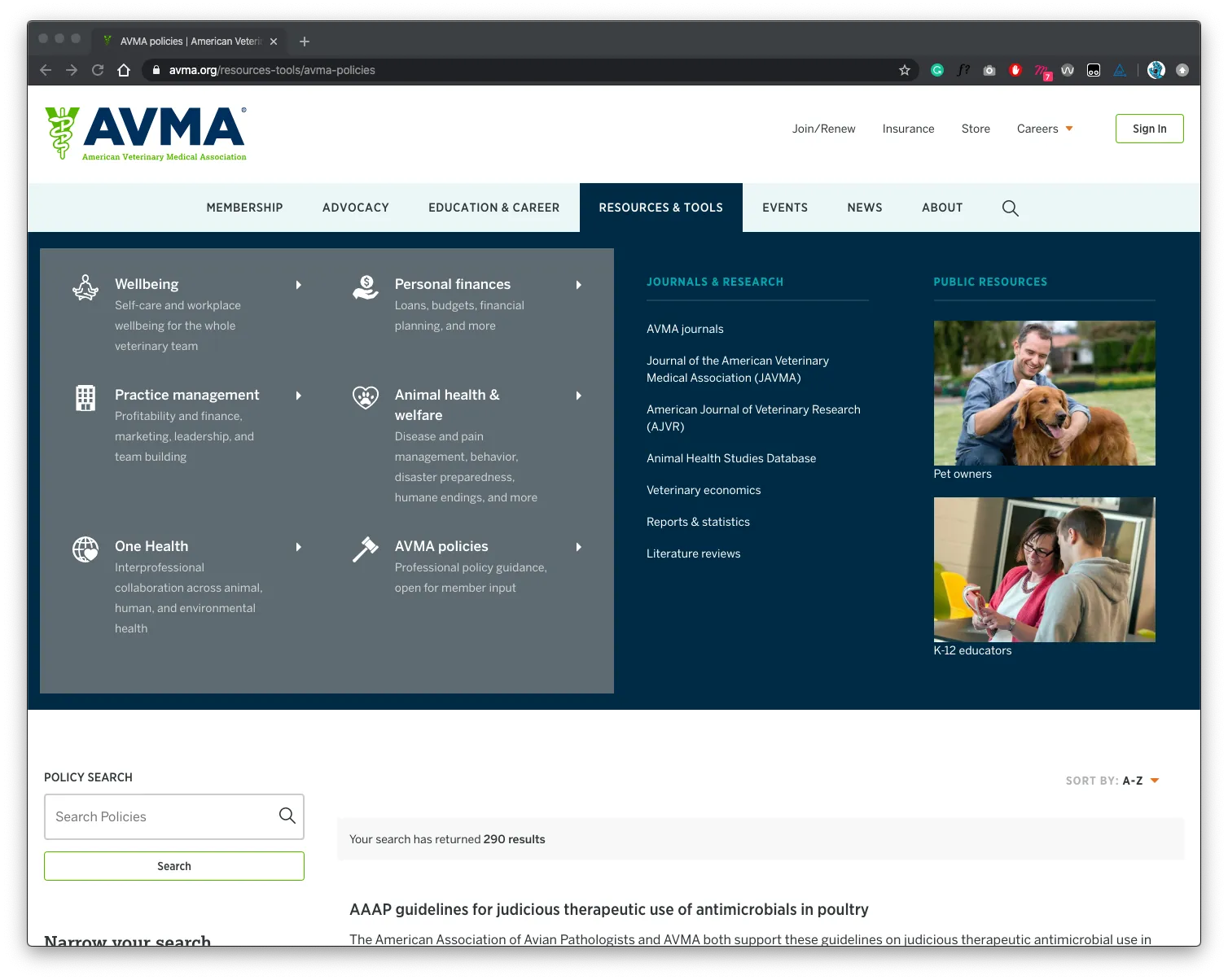
The design update brought the main brand vehicle fully into the modern web. Large headlines and images, chunks of color, and a clearer hierarchy of information makes each pages’ purpose shine. A mega-menu system breaks complex navigation into digestible parts, with icons and color to help differentiate important sections. The important yearly convention pages got a facelift as well, with their own sub-navigation system.
+10% Sessions per user
+17% Avg. session duration
Development details about the build:
- Layout Builder for flexible page building
- Aptify member-management
- Single Sign-On (SSO) integration with Drupal and Aptify
- Content migration from SharePoint, WordPress, and CSV files
- Hosted with Acquia
Why Drupal was chosen
The AVMA was looking for an open source solution with community support and a large ecosystem of available add-ons and extensions (modules). It had to be enterprise-ready and it had to be secure while also being open to a multitude of 3rd party integrations.
Technical Specifications
Drupal version:
Key modules/theme/distribution used:
Search API, Solr Search, & Facets
AVMA needed a multifaceted search that would allow for site visitors to quickly query and filter a large index of content. A multifaceted search was used for the following areas of the website:
- Sitewide Search
- Blog
- Press Releases
- Recalls & Alerts
- AVMA Policies
Layout Builder
Layout builder was used to provide content editors a high level of customization options over the page layout. To improve the layout builder editing experience, oomph leveraged the "Layout Builder Modal" and "Layout Builder Restrictions" modules. The Layout Builder Modal module put the layout builder block options in a modal window instead of the default narrow sidebar. This allowed use to provide more horizontal space to the edit forms. The Layout Builder Restrictions module allowed us to hide specific non-essential blocks from content editors providing a more streamlined editing experience.
In addition to the contributed modules, Oomph developed a custom module to provide a content editor with additional display options for a layout builder section:
- Horizontal Alignment (Left Center, Right)
- Vertical Alignment (Top, Middle, Bottom, None)
- Background Color - A select list of defined background colors
- Horizontal Border (Top, Bottom)
- Vertical Column Border
- Column Width - A predefined list of column width(s)
- Padding Top - A predefined list of top padding values.
- Padding Bottom - A predefined list of bottom padding values.
Oomph created the following custom blocks to be used within layout builder:
- Accordion
- General Content
- Testimonial
- Countdown Timer
- Curated List of Content
- Dynamic List of Content
- Featured Content
- Gallery
- Hero / Banner
- iFrame
- Media
- Repeating Article Area
Layout Builder Mega Menu
Oomph developed a mega menu using the core Layout Builder module, Menu Block module and the Menu Item Extras module. Each section of the mega menu is it's own custom block with layout builder enabled. Menu Item Extras is used to provide additional layout options to the menu links. The Menu Block module is used to place sections of a menu within the menu section layout.
Parent links can have the following style options applied:
- Background Color
- Emphasize Child Links
- Two Column Layout
Child links can have the following style options applied:
- Top Image
- Left Icon
- Link Subtext
Twig Tweak Module
Twig Tweak was also used throughout the project. One such use was to embed a view block within the "Dynamic List of Content" component. We were able to pass arguments such as taxonomy terms to the embedded view using twig tweak.