Sector(s)
Project Team
Lemberg
Roman Paska - Drupal Guru - https://www.drupal.org/u/taran2l
Olena Moskalyk - PM - https://www.drupal.org/u/she-wolf
Volodymyr Kenidra - Back-end developer - https://www.drupal.org/u/kedramon
Volodymyr Sydor - Back-end developer - https://www.drupal.org/u/sv
Mykhailo Gurei - Back-end developer - https://www.drupal.org/u/ozin
Serhii Chornobai - Front-end developer - https://www.drupal.org/u/serhiy-chornobay
Maryan Kleban - QA engineer
GoalGorilla
Bas van Os - UI Designer - https://www.drupal.org/u/basvanos
Xinyu Ma - UX Designer - https://www.drupal.org/u/xinyuma
Sjoerd Pijnappel - PM
Who we are
Blue Ocean Alliance is a partnership between the agencies Lemberg and GoalGorilla. Benefit from these three advantages by working with Blue Ocean Alliance: fair hourly rates, fully dedicated teams, and the best talents from around the globe.
Visit the site
Visit the siteOrganizations Involved
Community contributions
Despite the challenging project requirements, we ended up using core and contrib features (out of the box) with only a small amount of custom code. There was a requirement to build a dedicated page for changing passwords (and hide related fields from the default user edit form). This feature was built as a stand-alone module, which we plan to share soon.
Additionally, we used almost 20 patches for core and various modules, adjusting or amending some of them in order to make them work as designed. Of course, all that work was contributed back to the corresponding issues on drupal.org.
We care about security.
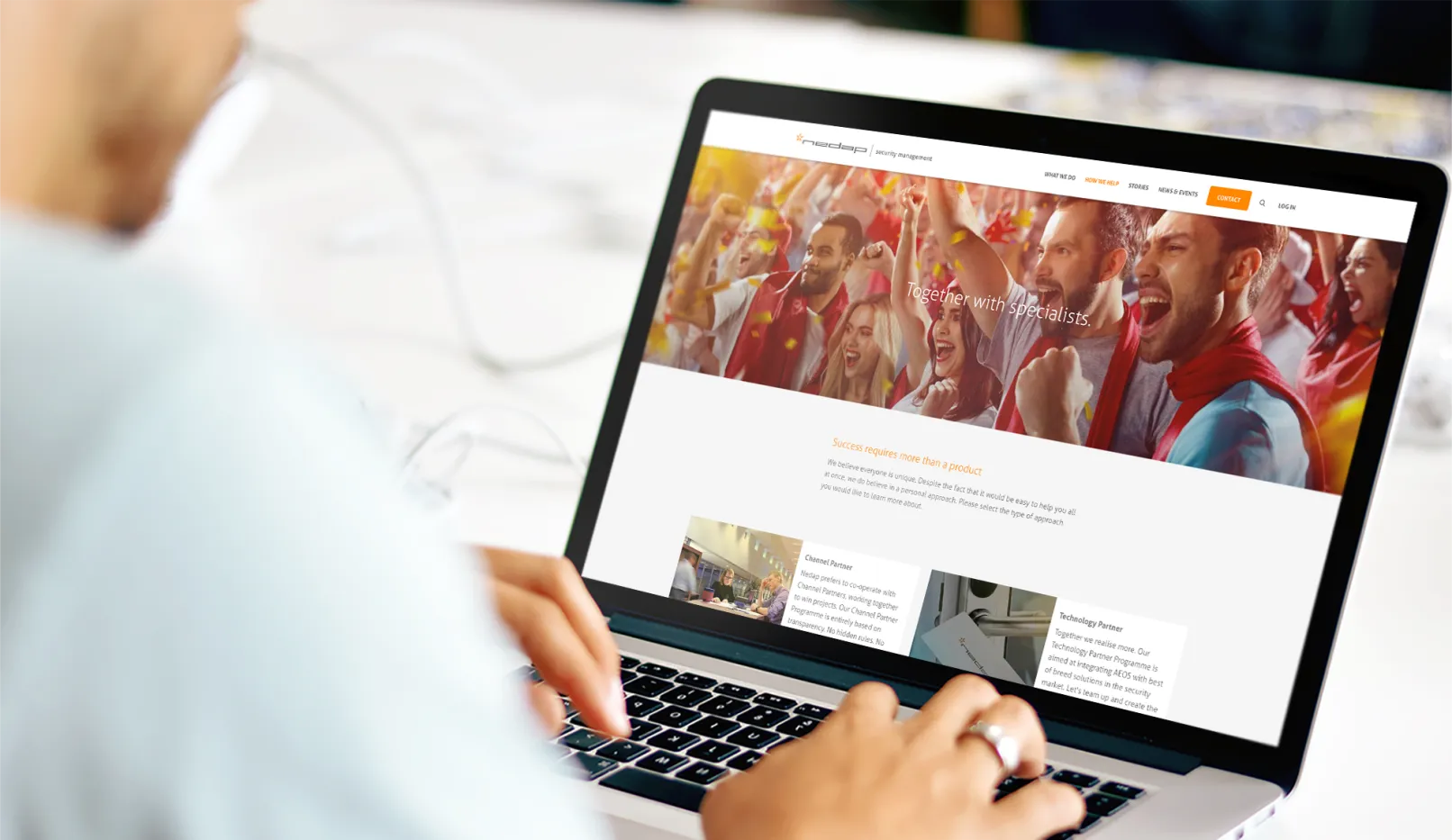
We’re proud to present one of Blue Ocean Alliance’s biggest success cases: Nedap Security Management, a globally operating company that provides security solutions for large companies such as BNP Paribas, Ziggo Dome, and more.

Goal: A brand new website including an amazing portal.
Nedap had a clear project goal: ‘create one place to provide all the tools and information our customers need.’ Together, we reached this goal! We created a brand new website with a user-friendly and appealing portal.Their clients can now enjoy easy access to all the files and documents that they need. Everything just one click away.
“Thanks to the project manager, there was great communication throughout the project. She was the bridge between our vision and the technical results. The agile working style meant that both parties had no surprises and were always working effectively together on the project. The Blue Ocean Alliance team fully committed themselves, which is reflected in the final result; an impressive website and portal.”
About the project
Interaction design: All just one click away
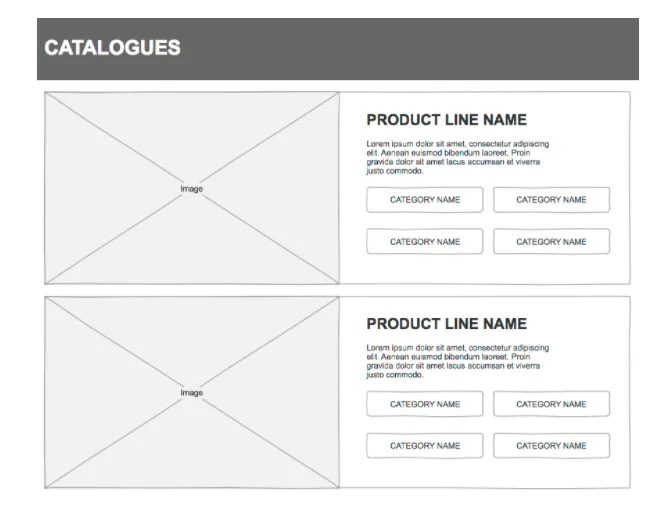
The customer was at the center of our interaction design phase. We explored the customer journey, the portal user needs, and used extensive online search data to determine the best functions for the new website and portal. From there on, we developed a responsive interactive prototype that tested every function for user friendliness and technical ability.
1. Reusable template
The Nedap portal consists of various information about both the use and ability of their security products. This information was categorized on several different levels with each level receiving its own layout template. This ensured that users understand both the level of information they are seeing and how to proceed to a higher or deeper level. We found that this method produced the best interface consistency and helped users and partners quickly familiarize themselves with the portal.
2. Integrated public website and portal experience
The interaction design consisted of similar components for both the public website and the portal, resulting in the same look and feel. We also made sure that users can navigate between these two parts seamlessly for an integrated Nedap experience.
3. Mega menu
A proper menu must be compact and offer an easy way to access and find information on the website. In order to achieve both of these for Nedap, we created a mega menu. The menu consists of various sections and subsections that presents all information in a non-overwhelming and accessible manner.
Graphic design: Always consistent thanks to our style guide
The personality of every brand must lie at the center of the design. Therefore, in the graphic design phase, we conducted an analysis of how Nedap presents itself to the world. This analysis resulted in the chosen look and feel for the website and portal, which was presented to the client and the stakeholders. We ended up using an atomic style guide to deliver the successful look and feel.
1. Look & Feel
An important part of the graphic design process is to create the perfect look and feel. In this design phase, we choose the style for the fonts, colors, and images for the portal and the public website.
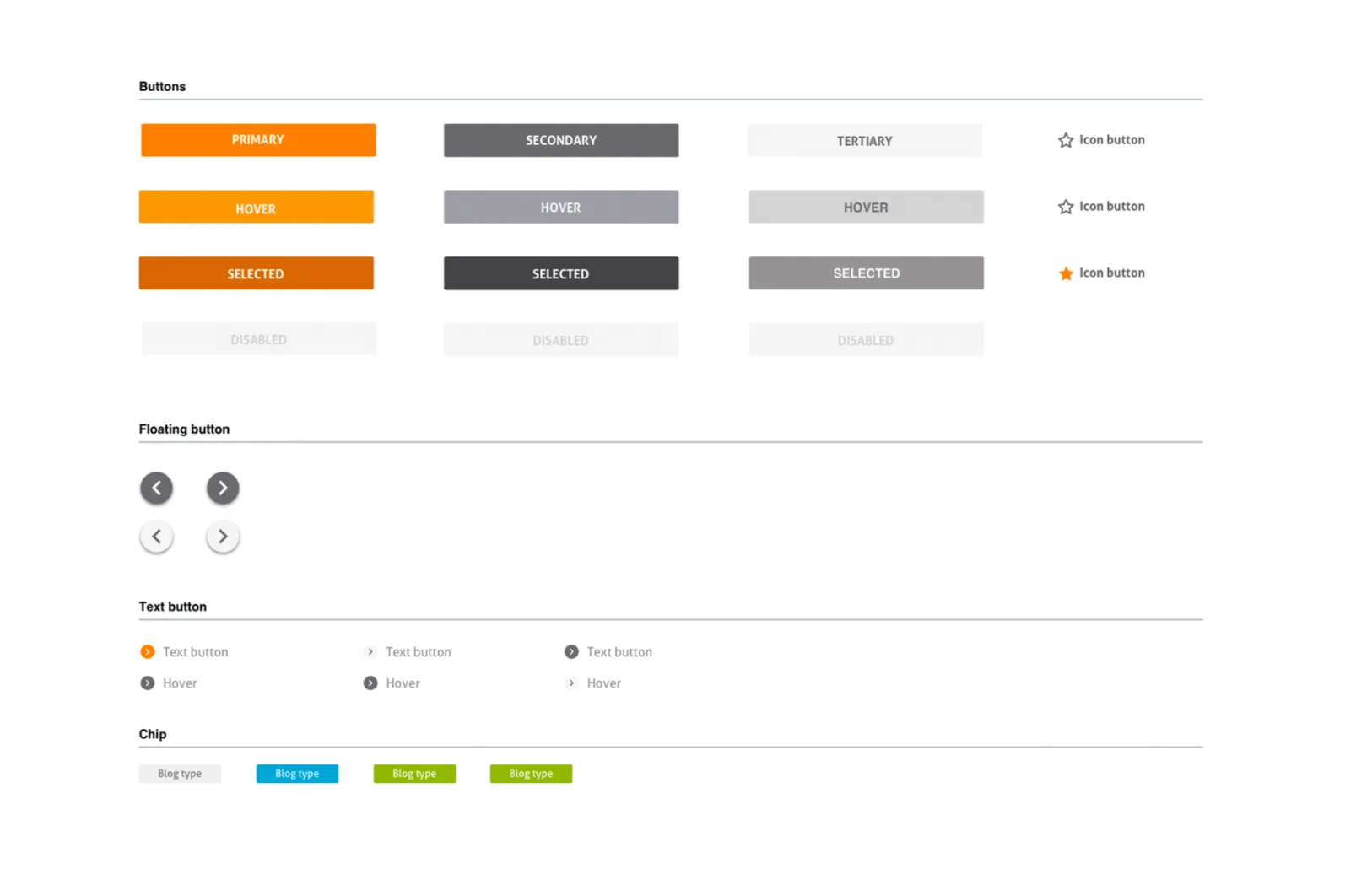
2. Atomic Style Guide
In order to develop and create a complex website like Nedap, we designed an atomic style guide. Atomic design is a methodology used to create web designs. The principle behind this methodology is to first create the individual elements and then put them together with the interaction of the user in mind.
3. Consistent public website and portal experience
We decided to use the same style guide for both the public website and the portal experience during the graphic design phase. This helps ensure that the style is the same for both components and can help users quickly familiarize themselves with Nedap.
Development: it’s all about building truly flexible solution
We built this project in 7 sprints, each taking place over the course of two weeks. In total, we spent almost 4 months on this project. Moreover, two weeks before the official launch date our client decided to redo some of the pages, simplify the hierarchy, change the menus, and update the content throughout the site. This has probably happened to you too, right? But we were totally ready for such scenario because now it’s all about true flexibility in terms of content structure. We built this project (and all others) with as much freedom in content creation as we possibly can. Any page can be built using a predefined set of layouts and components. The change in site structure resulted in some small issues here and there of course, but nothing major. As a bonus, the client can create really complex rich pages without developer interaction, which is always a win!
1. Bespoke content pages
The project required a wide range of landing pages with varied content and layouts. We took the easy way to implement them: paragraphs. We created two sets of paragraphs: one for specifying a layout (full width, ½, ⅓, ⅔, etc) and one for the content itself. First, the user needs to select a layout type and then add content to it. Hopefully, the Paragraphs module will support core Layout API at some point in time, making it possible to get rid of layout paragraphs altogether!
2. Custom search facets
There are around 15 different content types and all of them are searchable. There was a requirement to set up a filter for content types on a search results page. However, those 15 content types represented the way we implemented project technically and was not necessarily a customer-centric data structure. In order to avoid confusion and offer too many choices, we decided to segment certain content types into groups that the customer would understand. For example: technically there are a few content types that represent slightly different types of partners, but this does not matter for the search. We decided to group them together under a ‘Partners’ filter. Additionally, we added some JavaScript magic to hide the less important groups under a ‘Show more’ button (due to limited space on the screen and to emphasize the main content).
3. Advanced documents filter
A part of the project was dedicated to developing a portal. This is where Nedap partners can find relevant documents/media/software of the products. Historically, this documents library has a certain categorization, which all of the customers are quite familiar with. It was easily mapped to the core taxonomy vocabulary. However, on the frontend, this huge tree of categories did not look very aesthetic (to say the least) and it was useless for end users. We decided to dynamically display the tree of categories based on user selection. First, the first level is displayed. After the selection of a term, we show all the children of the term in question. Then the process continues. This approach provides customers with a clear and easy-to-use interface for narrowing search results when looking for something specific.
Why Drupal was chosen
Nedap had various requirements, such as:
- A rich content management system
- The ability to create public and private content
- A built-in document management system
- Complex user permissions/roles system
- Advanced search
- Integrations with various third-party systems
The only solution that comes to mind with this list of requirements is Drupal. Their extensive community does not only contribute development skills but also unique and creative insight. Drupal’s flexibility and scalability provided helpful tools for us to build Nedap’s website and portal. In the end, there is really no other choice when it comes to open source (and, to some extent, proprietary) solutions.
Technical Specifications
Drupal version:
Key modules/theme/distribution used:
- Config Filter
- Config Ignore
- Search API
- Search API Solr Admin
- Search API Autocomplete
- Search API attachments
- Search API Exclude Entity
- Facets
- Image Widget Crop
- image effect
- Media entity
- Entity Browser
- Entity Browser Enhance(d|r)
- Paragraphs
- Country
- Webform
- Mail System
- Swift Mailer (abandoned)
- Reroute Email
Configuration-related modules allow for a no-hassle Drupal development/deployment. Search API and friends are the obvious choices for building search on Drupal (don’t even think about the core Search module!). The project was built on Drupal 8.3, which meant we used a contrib version of Media module and Entity Browser in order to provide a nice-looking, easy to use media-handling editorial experience. We used a set of Crop modules in order to grant control over image processing for content managers (since usually the same image can be displayed in various variants). Webform is the natural choice for building misc forms and Paragraphs is standard de-facto for building complex content pages.
Technical Challenges
It was crucial for the client to build a complex (and flexible) content access system. There were more than 10 user roles and plenty of content that needed to be tailored for specific user groups. We leveraged the Drupal node access system to ensure that everyone can see what was supposed to be seen.
The other challenge was to ensure that search is fast, smart, and reliable. Nedap required both autocomplete and the ability to search within text documents (mostly PDFs), hide certain content from the search engine, fine-tune search results according to specific words/phrases, smart search result filters, and more. Search API + Apache Solr + friends performed incredibly well. We spent some time configuring and fine-tuning these modules so that our customers receive the best possible results. We were astounded at how well Drupal 8 and Search API work together! The only search feature that was not available, out of the box, were some facets on the results page. Thanks to Facets API, it was not a problem to implement them.
The last part of the process we want to mention is integrations. Most modern web projects integrate with third-party systems. For this project, we built quite an extensive integration with MailChimp (not limited to signing up for a newsletter). Apart from having 10+ user roles, some user accounts were not internal to Drupal. We implemented SSO with third-party systems, like Moodle-powered LMS and Zendesk-powered support system.