Sector(s)
Team Members
Project Team
The site was built by DesignHammer staff: development @amandahart and @jayroberts, theming by @Frank Yonnetti and project management by @Michael.Nicholson.
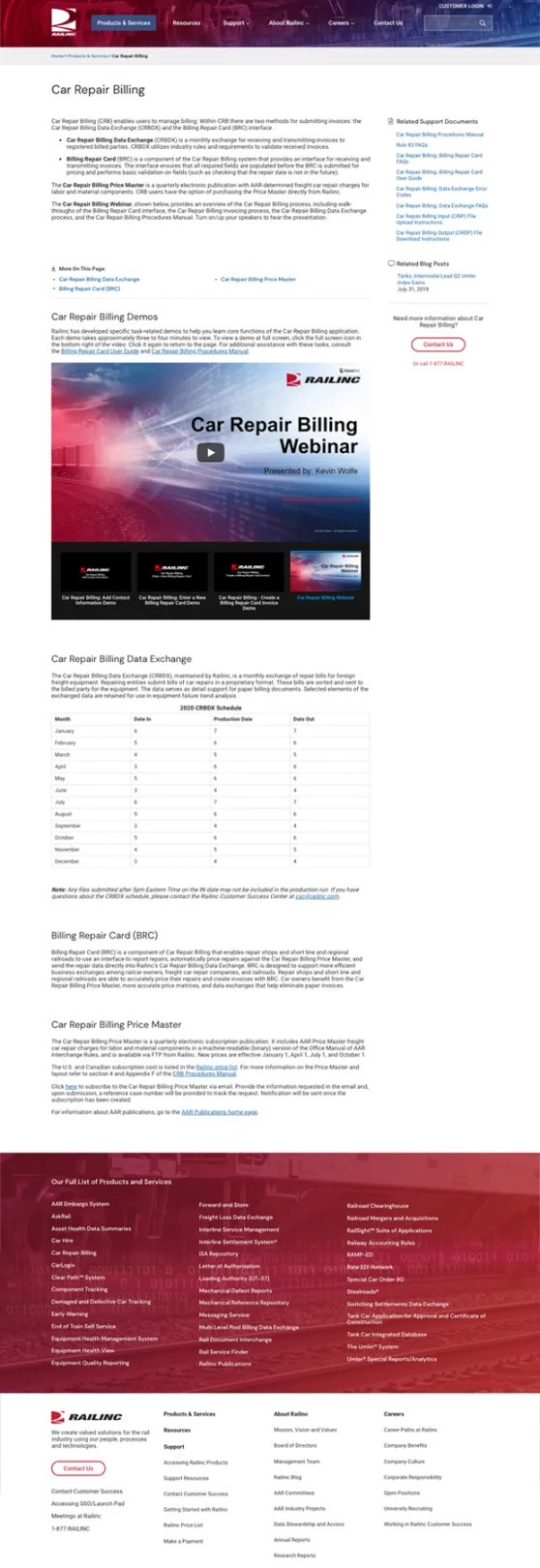
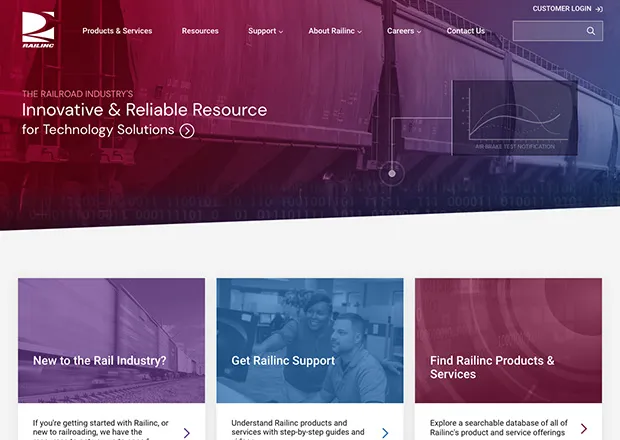
Railinc Corporation is a for-profit subsidiary of the Association of American Railroads (AAR) that delivers both Data as a Service (DaaS) and Software as a Service (SaaS), offering a compelling suite of products, as well as valuable information resources to employees in the freight rail space.
The access to Class I Railroad (North America Railroads with annual revenue over $475 million) data and targeted tools is what attracts both industry (Class 1 Railroads) and commercial (smaller railroads, and vendors that support railroads of any size) users to the Railinc website, and is also what sets their company apart from other players in the freight rail technology space.
DesignHammer completed a comprehensive assessment project of Railinc’s existing website which suggested that the uniquely varied needs of Railinc’s industrial and commercial site visitors would be better addressed on their own individual platforms, supporting the decision to build two separate websites, one for each audience.
Content on the existing Liferay website primarily targeted the industry audience; so development of the new industry website became the immediate focus as Railinc had set a hard deadline for leaving their previous website platform. Railinc’s commercial site was deemed a future priority to be developed as a subsequence phase in the project.
About the project
Goals
DesignHammer’s comprehensive assessment of the existing Railinc website uncovered several general pain points related to a suboptimal navigation structure, outdated aesthetic, scattered content, and an overly complex user-interface. Several goals were identified in order to ensure the new website was to serve as a better platform for their industry visitors. Namely, this would include a heavy remodel of their existing information architecture in order for site visitors to better navigate towards their sought-out resources. To support this key goal, a new and modernized interface would need to be designed, and the linking structure between their existing content would need to be improved.
Requirements
The key requirement for the industry website build was to successfully migrate a large amount of existing content (including 1500 total files, 40 product pages, and 15 supporting resources) from Railinc’s existing CMS while preserving tagging and redirect URLs that were already used within supporting documentation.
It was also a requirement for Railinc to stay connected to their existing industry audience by maintaining their brand identity, while also modernizing the look and feel of their site enough to affirm their status as a prominent member of both the freight rail and technology industries.
Outcome:
Based on conversations with the Railinc Technical Writing team DesignHammer implemented a system of content types and modules to support content revisions, attached file versioning, redirects, and approval workflows.
The most complicated part of the new website build was migrating the content from the existing Liferay site to the new Drupal site while maintaining the relationships between pages and content, as well as the tagging on the existing content.
DesignHammer configured a custom migration process that was able to parse archives from the existing Liferay site and import the data, complete with tagging, into Drupal content types. Redirects were also programmatically created to provide consistent access to the newly migrated files to support existing applications that used these files for documentation.
DesignHammer produced a custom theme for the Railinc that reflected their brand identity as a modern software and technology provider supporting the North American rail system.
The end result was a successful migration of all critical content and metadata; which was intentionally restructured and reorganized, allowing site visitors to efficiently navigate to desired information via a more intuitive user interface.
Why Drupal was chosen
Drupal's ability to handle complicated reference relationships between content, both for display purposes and filtering with Views, was hugely beneficial, and was the primary reason for the selection of Drupal 8. Drupal’s ability to easily automate the migration of a large amount of content and files into the new system was a secondary deciding factor. Leveraging the customizable nature of the Migrate and Migrate Plus modules was key to the successful migration.
Technical Specifications
Drupal version:
Key modules/theme/distribution used:
Drupal 8 Core
Drupal Core was the best choice for this project because it allowed DesignHammer developers to customize and choose the appropriate contrib modules as needed, rather than starting with a set of modules that were not an effective match for meeting the new website requirements.
Migrate, Migrate Plus, Migrate Files, Migrate Tools
These modules provided the underlying API and extensions used to facilitate the migration of content and files from Liferay JSON source data into Drupal entities. DesignHammer built out seven custom migrations that covered the blog, documents, media files and images, keywords/tags, and redirects. Custom source plugins were written to handle reading and processing JSON-formatted tables from a variety of provided data files. Custom process plugins were written to check for the existence of a remote file before attempting to migrate it, for converting file URLs within body content from old paths to new Drupal paths, as well as checking for existing nodes, media entities, and redirects.
Additionally, the Drush commands provided by Migrate Tools made the migration process easy and repeatable across multiple developer environments. Any team member working on this project could follow clear instructions to run the migrations on their machine without issue.
Workflows, Content Moderation
The content team at Railinc needed a workflow that would allow content editors to create new drafts for existing content (and brand new content), and then allow for a review process to refine those revisions before final publishing by a content administrator. These core modules made it easy to define this process and tweak as needed.
Media, Media Library
Railinc's documents are a combination of files, images, and remote videos. Drupal’s Media Module was used to create 3 custom media types to handle both the initial importing during the migration process as well as to make it easier for content editors to update and add new document content. Media's provided widgets make it easy to choose from existing files that have already been uploaded, which cuts down on accidental duplication.
Paragraphs
Most of the content types on the site include customizable call-to-action blocks that are unique on a node-by-node basis. Rather than duplicate these fields required across multiple content types, the Paragraphs module was used. This allowed the fields to be created once and grouped together for each type of call-to-action. The paragraph was then added to the content type as needed. Paragraphs also made it easy to create section content, which could be used an unlimited number of times per node. By using Paragraphs to group these fields together, it was easy to add a new section and be certain all of the required fields would be added for each (rather than relying on one large text area field and HTML customizations).
Config Split
Railinc uses their test environment for many different testing purposes, and as such the configuration files diverge from what is configured on the production environment. Config Split has been used to account for any per-environment differences so that Drush's config-import and config-export can be safely used in any environment without fear of accidentally deleting in-progress changes to items such as webforms, blocks, and menus.