Created by late composer Aaron Copland, the Aaron Copland Fund for Music was established to improve public knowledge and encourage appreciation of contemporary American music. The "Dean of American Composers" left most of his estate to the fund in his name.
ACF needed a site that was diverse and responsive to many user needs. For users coming to the site to apply for grants, the grant page needed to clearly outline fields and options while being able to store all the information from grant applications. To streamline internal processes, ACF came to Zivtech to update their application that was bulky and difficult to manage. They struggled to keep up with the sheer amount of paper application copies, causing an inefficient review process.
About the project
Based on our discussions with the Copland Fund, we determined the following as project goals and requirements:
- Custom workflows for grant cycles and applications.
- Application forms that could be saved/viewed at any time without being complete.
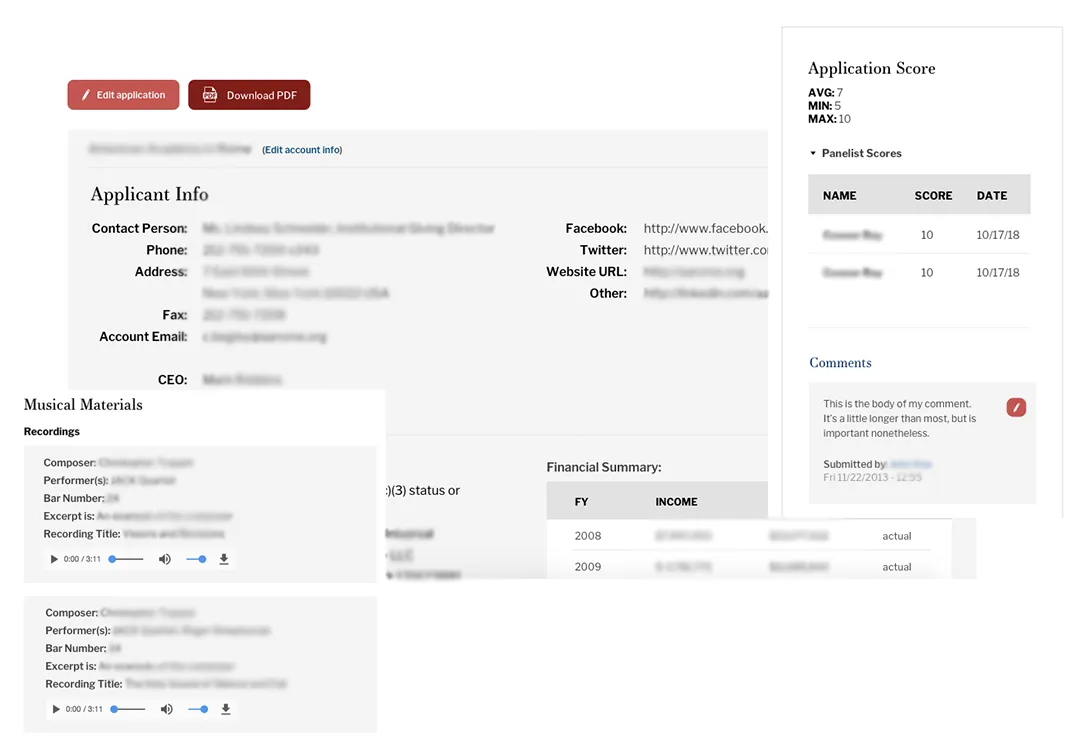
- The ability to export entire application packages as one PDF file.
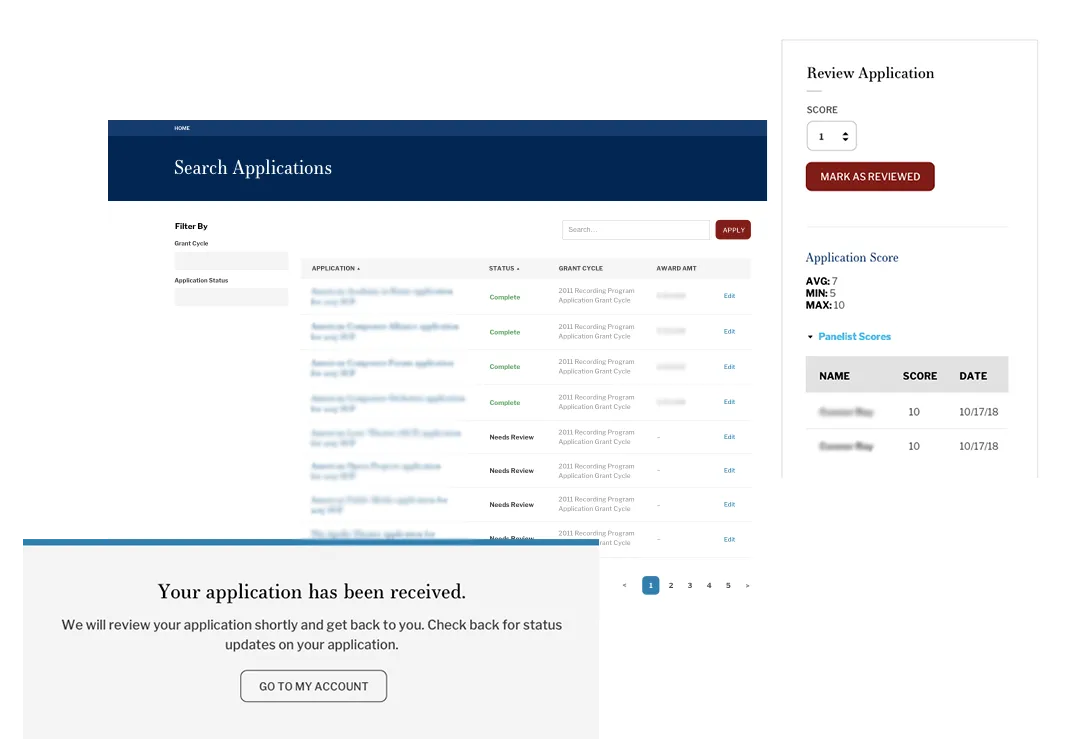
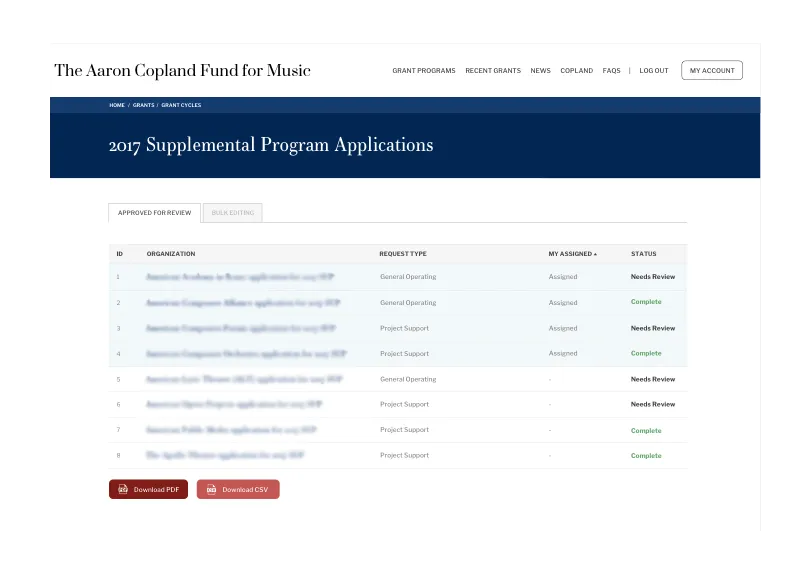
- The ability to assign applications to specific panelists for review.
- Multi-step application forms.
- Custom help pop-ups for application form fields that could be created by admins.
- The ability to attach supporting musical materials to applications.
- The ability to copy the previous year's application as a starting point for the current year's application.
- The ability for panelists to access and play supporting musical materials during application review.
Our team developed a system called GrantCycle, which includes the following features.
Digital Multi-Step Forms
Each of the Fund's grant programs require applicants to submit a lengthy application form. Traditionally, these forms were printed on paper, which meant that the various form segments were broken down into digestible sections. However, when we brought this online, we were left with a daunting form that was both confusing and difficult for applicants to navigate.
To overcome this problem, we broke the form into more navigable, manageable sections. This provided applicants with a well organized, easy to navigate, tab driven application form. Further enhancing the forms navigability, we added custom JavaScript Previous/Next tabs to the bottom of each form segment, allowing applicants to easily tab through the application without losing previously entered data.
Validating Applications Upon Submission
With the application process now being completely paperless, we needed to provide users with the ability to complete the application form in stages without losing data.
We customized the form so that applicants can save their progress at any time before finishing. Applicants can then login to their account at a later date and continue the application. We also provided custom form validation that checks to ensure that all the required fields are complete before allowing the applicant to finally submit their application.
To further streamline the application process, we supplied applicants with the ability to copy completed applications from previous years, and use these as a starting point for the current year's grant cycle.
Applications Flagged for Review
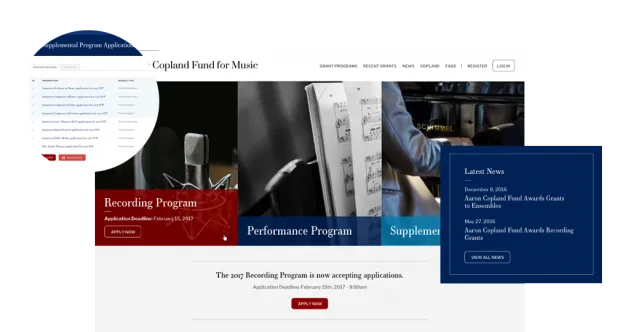
To assist with the review process, staff needed a system in place that would allow them to bookmark and assign applications to specific panelists for review. By utilizing the Flag Module, we implemented this functionality and provided a list of assigned applications that panelists can view when they log into their account. Panelists can then either review the application online, or download it as a PDF to review offline.
Both the new website and the grant management application are streamlined and easy to use. Our team was able to build a new website and application that allow the Fund to keep accomplishing their mission without running into roadblocks caused by a faulty website.
Why Drupal was chosen
Drupal has a mature user authentication and access control framework. These projects require multiple user roles such as applicants, panelists, and editors, who can access and interact with applications in different ways. Drupal also has a strong form system. It allows site admins to create and alter their own complex application forms, including features such as conditional fields, and repeating groups of fields. Our engineering team has also worked together on Drupal projects for a decade. We were confident in both our expertise and Drupal’s features and capabilities.
Technical Specifications
Drupal version:
Content Access Module
Manage permissions for content types by role and author.
Content Profile Module
Builds user profiles as content (aka nodes), which opens the opportunity to use all the powerful modules for content for user profiles too.
Flag Module
A flexible flagging system that is completely customizable by the administrator.
Automatic Nodetitles Module
Allows hiding of the content title field in the form
Better Formats Module
Adds more flexibility to Drupal's core input format system.
Node Clone Module
Allows users to make a copy of an existing item of site content (a node) and then edit that copy.
Diff Module
Allows pretty viewing of all added/changed/deleted words between revisions.
Frequently Asked Questions Module
Allows users to create question and answer pairs which they want to be displayed on the 'faq' page.
Select or Other Module
When 'other' is selected a text field appears for the user to provide a custom value.
Printer, e-mail, and PDF Versions Module
Allows you to generate printer-friendly version, PDF version, and send by email versions of a node.
SWF tools Module
Allows you to easily embed flash content on your pages.
CAPTCHA Module
Blocks form submissions by spambots.
Vertical Tabs Module
Provides vertical tabs on the node add form.
Semantic Views Module
Makes unformatted styles, field row styles and other output more readily configurable without needing to override template files.
Workflow Module
Allows the creation and assignment of arbitrary workflows to Drupal node types. Workflows are made up of workflow states. For example, a workflow with the states Draft, Review, and Published could be assigned to the Story node type.